
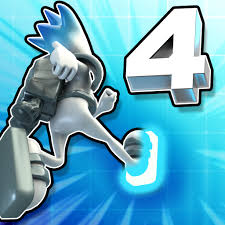


G-Switch 4
G-Switch 4 is a fast gravity-running game where you flip between floors and ceilings, play Story Mode, race friends locally, and create or share custom levels.
G-Switch 4 is a fast gravity-running platform game from Serius Games where your character runs automatically and your main job is deciding exactly when to flip between the floor and ceiling. The fourth game expands the familiar one-button idea with Story Mode, local multiplayer races, custom level creation, shared community stages and more complicated obstacle patterns.
The controls look almost too easy at first. You can switch gravity with a mouse click or almost any keyboard key. The difficult part is timing that switch before your runner reaches a wall, gap or moving hazard. One mistake I would avoid is reacting only when the character is directly beside an obstacle. Looking slightly ahead gives you much more time to decide whether the next safe surface is above or below.
| Game Detail | Information |
|---|---|
| Game | G-Switch 4 |
| Full Title | G-Switch 4: Creator |
| Developer | Serius Games |
| Genre | Skill, Platform, Running |
| Gameplay Style | Automatic running and gravity switching |
| Controls | Left mouse button or any keyboard key |
| Supported Devices | Desktop, phone and tablet |
| Browser Release | November 2023 |
| Latest Verified Browser Update | September 2026 |
| Current Rating | 4.3/5 |
| Current Votes | 133K+ |
| Multiplayer | Local multiplayer |
| Maximum Browser Players | Up to 8 total players |
| Level Editor | Yes |
| Community Levels | Yes |
Poki currently identifies Serius Games as the developer and lists November 2023 as the browser release and September 2026 as the latest update. The current rating is about 4.3 from more than 133,000 votes, although that total can change.
Gravity Is Your Main Control
G-Switch 4 removes normal left and right movement.
Your character keeps running automatically.
You control whether gravity pulls the runner toward the floor or the ceiling.
Press once and gravity reverses.
Press again and you return to the opposite surface.
That means almost the entire game depends on timing one action correctly.
The simplicity is deceptive because later levels combine several obstacles so closely that one badly timed switch can place you on the wrong surface for the next section.
G-Switch 4 Controls
The browser controls are intentionally minimal.
Left Mouse Button: Switch gravity
Any Keyboard Key: Switch gravity
The current Poki listing confirms that almost any keyboard key can trigger the switch.
This flexibility is useful during multiplayer because different players can use different keys on the same keyboard.
The MDN KeyboardEvent documentation explains how browsers detect individual keyboard presses during interactive web experiences.
Look Ahead Instead of Watching Your Character
The biggest improvement I would make is changing where I look.
Watching only the runner makes every obstacle feel sudden.
Instead, keep your eyes slightly ahead.
Try to identify:
- the next safe platform
- whether it is above or below
- how long the current surface continues
- whether another obstacle appears immediately afterward
Once you start reading two obstacles ahead, the game feels less like pure reaction and more like route planning.
Story Mode
G-Switch 4 includes a dedicated Story Mode.
Serius Games describes it as a journey through the simulation where you uncover secrets and meet allies along the way.
This gives solo play more structure than simply running until you fail.
The story stages introduce different obstacle combinations and gradually require cleaner gravity changes.
I would play through Story Mode before spending too much time in complicated user-created stages because it teaches the movement system in a more controlled order.
One Switch Can Affect Several Obstacles
A gravity flip is not only about avoiding the obstacle directly in front of you.
The surface you land on determines your position for whatever appears next.
For example, switching upward may clear one wall but leave you approaching the next hazard from the wrong side.
This is why rapidly pressing the switch button rarely works well.
Each change should ideally solve the current obstacle while preparing for the next one.
Do Not Flip Too Early
Switching too early can be just as bad as switching too late.
If you move toward the ceiling before clearing an obstacle, your character may collide with its edge.
I would wait until the route is visually clear rather than reacting simply because I know a switch is coming.
Small timing differences matter much more once the running speed increases.
Local Multiplayer
G-Switch has always been known for same-device multiplayer, and G-Switch 4 keeps that idea.
The browser version allows you to race with up to seven friends, meaning as many as eight players can participate locally.
Every player controls gravity for their own runner using a separate key.
That produces much more chaotic races than Story Mode because several characters can fail at completely different obstacles.
You are not controlling the same runner together.
Each player needs to survive independently.
How Multiplayer Changes the Game
Solo play encourages careful timing.
Multiplayer adds pressure.
Seeing another player slightly ahead can tempt you to switch too quickly just to keep up.
That is usually a mistake.
The safest strategy is still watching your own route.
A player who survives slightly slower will often outlast somebody who reacts aggressively and crashes early.
For another movement-focused platform game on Mopoga, Fancy Pants uses momentum, ramps and jumps rather than gravity switching.
Level Editor
The largest addition in G-Switch 4 is its level-creation system.
Serius Games officially describes G-Switch 4: Creator as a gravity runner with level editing and sharing.
You can build your own course rather than being limited to stages created by the developer.
That lets you decide where obstacles appear and how often players need to change gravity.
Creating a good level is different from simply making the hardest possible course.
A stage becomes more enjoyable when players can understand what went wrong and improve on the next attempt.
Creating Better Custom Levels
When building a course, I would start with a simple section.
Place one clear gravity change.
Test it.
Then add another obstacle after the landing.
This makes it easier to understand whether a section is genuinely challenging or simply impossible to read.
The biggest mistake in a level editor is adding difficulty faster than you can test it.
If you cannot consistently complete your own obstacle, other players may have little chance of understanding what you intended.
Sharing Levels
G-Switch 4 lets players share their creations with the wider community.
The developer’s current Android description says the game contains an expanding library of thousands of user-created levels.
That gives the game considerably more replay value than a fixed campaign.
After finishing developer-created content, you can continue playing stages made by other users.
You can also rate those levels, which helps community-made courses gain visibility.
Community Levels Can Be Much Harder
User-created levels do not always follow the same difficulty curve as Story Mode.
Some creators build straightforward tracks.
Others deliberately create extremely demanding sequences.
I would not assume you are playing badly simply because one custom stage feels dramatically harder than the campaign.
Community levels can vary widely because every creator decides how forgiving the timing should be.
Practice One Difficult Section at a Time
When a stage becomes difficult, try to identify the first place where your timing breaks.
Do not think about the whole level yet.
Learn that one section.
Then concentrate on what comes immediately afterward.
This turns a long sequence into smaller patterns that are easier to remember.
The useful rhythm is:
observe → switch → land → read ahead → switch again
Speed Changes Your Timing
Faster sections give you much less time between obstacles.
A switch timing that works at one speed may fail when the runner accelerates.
This is why memorizing only where you clicked is less useful than understanding why you switched there.
Look for visual reference points such as:
- platform edges
- wall positions
- gaps
- moving objects
- changes between floor and ceiling routes
Those references remain useful even when the pace increases.
Playing G-Switch 4 on Mobile
The current browser edition supports:
- Desktop
- Phone
- Tablet
Poki directly lists all three device types.
The mobile version is particularly well suited to G-Switch because only one input is needed.
Tap the screen to change gravity.
You do not need virtual movement buttons covering the play area.
The W3C Pointer Events specification explains how modern web applications can respond to mouse, touch and other pointing-device input.
G-Switch 4 Creator on Android
Serius Games also publishes G-Switch 4: Creator as a dedicated Android game.
The current Google Play edition includes Story Mode, level creation, community sharing and local multiplayer for up to four players on one mobile device. It also reports more than 500,000 downloads.
One useful distinction is that multiplayer limits can differ by platform.
The browser version advertises up to seven friends, while the Android description specifically mentions up to three friends around one device.
Latest G-Switch 4 Update
The newest browser update I could verify is September 2026.
Google Play also shows the mobile version receiving an update in September 2026, which supports the fact that G-Switch 4 is still actively maintained.
Because the game includes shared community levels and cross-version changes, smaller features can continue changing after the original release.
Who Created G-Switch 4?
G-Switch 4 was created by Serius Games.
The studio’s official website describes G-Switch 4: Creator as a gravity runner built around level editing and sharing.
Serius Games has also created:
- G-Switch
- G-Switch 2
- G-Switch 3
- Freeway Fury
- Freeway Fury 2
- Freeway Fury 3
- Hyper Tunnel
Poki currently connects G-Switch 4 with the earlier G-Switch games and Serius Games’ Freeway Fury titles.
G-Switch 4 vs Earlier G-Switch Games
The core mechanic has not changed dramatically.
You still control gravity rather than normal running movement.
What G-Switch 4 adds is a much broader structure around that mechanic.
You now have:
- Story Mode
- local multiplayer
- custom level creation
- level sharing
- community stages
- community ratings
- continued updates
The level editor is the biggest difference because the available courses are no longer limited to what Serius Games originally built.
Is G-Switch 4 Online Multiplayer?
The current browser version supports local multiplayer, not conventional live online races.
Serius Games previously stated that it had investigated online multiplayer, but its documented G-Switch multiplayer structure remains focused on players sharing the same device.
Online sharing applies mainly to custom levels.
You can publish and play community-created stages, but that should not be confused with racing another remote player live over the internet.
Current G-Switch 4 Rating
The current Poki listing shows approximately:
Rating: 4.3 out of 5
Votes: 133,000+
These values are current platform figures and will continue changing as additional players rate the game.
Common G-Switch 4 Mistakes
The most common mistake is watching the character instead of the upcoming path.
Another is pressing repeatedly after one failed timing attempt.
Players also tend to switch too early when they see an obstacle approaching.
In multiplayer, another mistake is copying another player’s timing even when your character is in a slightly different position.
Finally, difficult community levels can encourage random button pressing when learning one obstacle at a time would work better.
A Better Way to Play
Start with Story Mode.
Get comfortable with a single gravity change.
Begin looking one obstacle ahead.
Then learn sequences that need two or three quick switches.
Once the basic timing becomes reliable, try multiplayer or community-created levels.
If a difficult section keeps ending your run, stop thinking about the entire stage and learn only that sequence.
The game rewards controlled timing far more than fast tapping.
Related Categories
G-Switch 4 fits naturally into:
- Skill Games
- Platform Games
- Running Games
- Gravity Games
- Multiplayer Games
- 2 Player Games
- Local Multiplayer Games
- Level Editor Games
- Mobile Games
Players who enjoy platform movement with a more traditional control system can also try Fancy Pants, where speed comes from slopes, ramps and momentum instead of gravity reversal.
What Makes G-Switch 4 Different?
G-Switch 4 builds an unusually large game around one simple input.
You do not steer left.
You do not steer right.
You do not manually jump.
You only change gravity.
The depth comes from everything placed around that decision.
Story stages test timing.
Multiplayer adds pressure.
The level editor lets you design new challenges.
Community sharing gives you stages that Serius Games never created itself.
That is why the one-button control never feels quite as limited as it sounds.
About G-Switch 4
G-Switch 4 keeps the series’ familiar gravity-flipping idea but gives players much more to do with it.
The runner moves automatically while you switch between floor and ceiling to avoid hazards. Story Mode provides structured solo progression, local multiplayer supports large same-device races, and the level editor lets players create and share their own tracks.
The controls take seconds to understand. The harder skill is learning to read the course before your character reaches it. Once I stopped staring directly at the runner and began watching the next two obstacles instead, the timing became much easier to judge.



Reviews
There are no reviews yet.