
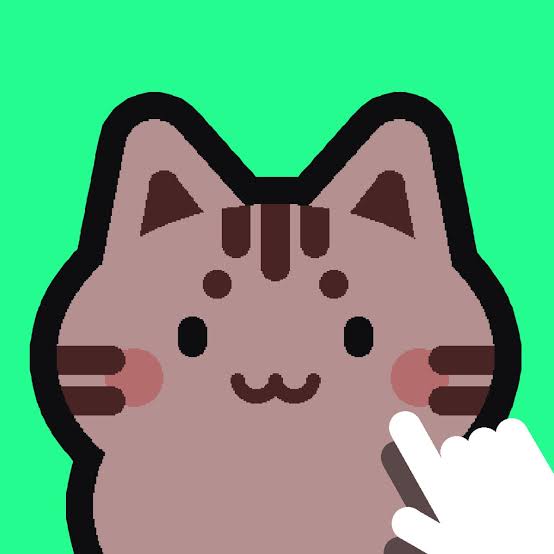


Catpad
Catpad is a playful cat-themed arcade game with more than six minigames, including box stacking and memory challenges. Move your cat’s paw, collect glowing bonuses to activate Fever Mode, improve your high scores and unlock new items to decorate your cat’s home.
Catpad
Catpad is a playful arcade game where you experience a series of small activities from a cat’s point of view. One moment you might be stacking cardboard boxes, while another minigame asks you to remember patterns or collect glowing objects. The game is intentionally simple, but chasing every shiny object immediately can distract from the current task. I find it more useful to understand each minigame first and then focus on improving the score.
| Game Detail | Information |
|---|---|
| Game | Catpad |
| Developer | Venturous |
| Genre | Arcade |
| Gameplay Style | Cat minigames, box stacking, memory puzzles, collectibles and high scores |
| Controls | Mouse Click / Tap |
| Supported Devices | Desktop, phone and tablet |
| Browser Release | November 2023 |
| Latest Browser Update | November 2023 |
| Rating | 4.1 |
| Votes | 128K+ |
| Minigames | More than 6 |
About Catpad
Catpad puts you in control of a playful cat across several short activities.
You can stack boxes into towers, complete memory challenges and take part in other cat-themed minigames. Glowing collectibles appear during play and contribute toward activating a special Fever Mode.
Latest Catpad Update
The current browser edition lists November 2023 as both its release date and latest update.
The game remains focused on its original collection of short minigames, high scores, unlockable decorations and Fever Mode rather than traditional campaign progression.
Catpad Character
You control a cat paw during many of the game’s interactions.
The cat itself can also be clicked to give it a pet, which fits the relaxed virtual-pet side of the experience. There are no complex movement controls or character statistics to manage.
Catpad Gameplay
Catpad switches between several small challenges instead of keeping you inside one continuous game mode.
That means a strategy that works for box stacking may not matter in a memory puzzle. I find it easier to treat each minigame as its own short challenge instead of trying to play every activity at the same pace.
Controls
- Mouse Click: Move the cat’s paw
- Click the Cat’s Face: Pet the cat
- Touchscreen: Tap equivalent controls on phones and tablets
These controls are confirmed by the current browser listing.
The MDN Pointer Events guide provides useful technical background on how web interfaces can recognise mouse and touchscreen input.
Catpad Box Stacking
One of the activities involves stacking cardboard boxes into a tower.
The challenge comes from keeping the stack stable as it grows. Placing a box slightly off-centre may not cause an immediate problem, but it can make later placements much harder.
This makes patience more useful than trying to build upward as quickly as possible.
Catpad Memory Puzzles
Catpad also includes memory-based challenges.
These sections reward observation instead of fast clicking. Taking a moment to recognise the pattern first usually works better than selecting options immediately and hoping to remember them afterward.
For another game where planning matters more than speed, Mahjong Firefly uses matching tiles and board management.
Catpad Glowing Balls And Fever Mode
Glowing bonus objects can appear while you play.
Collect enough of them and your cat enters Fever Mode, which creates an opportunity to earn a large number of points quickly. This gives ordinary minigame sessions an extra scoring objective beyond simply completing the current activity.
Catpad Scores And Unlocks
Strong scores can unlock additional items used to decorate your cat’s home.
That creates a light progression system without changing the core controls. Improvement mainly comes from understanding each minigame better and using Fever Mode effectively when it becomes available.
Catpad Minigames And Progression
Catpad includes more than six minigames to learn.
Rather than moving through a traditional level campaign, progression comes from improving scores, earning achievements and unlocking new decorative items.
Players who enjoy colourful games with simple controls may also like Blumgi Paintball, which shifts the focus toward competitive platform rounds.
Who Created Catpad?
Catpad was created by Venturous.
The developer has also created games including Zooplop, Gobdun, Cubies, Swingo, Blumgi Racers, Slime Dunk!, Water Polo Ragdoll and We Skate.
App And Platforms
Catpad supports desktop, phone and tablet browser play.
Its click-and-tap control system makes it easy to use across both mouse and touchscreen devices without requiring separate movement buttons.
Games Like Catpad
The closest alternatives are casual arcade and puzzle games built around short activities rather than one long challenge.
Zooplop is another Venturous game, although it replaces cat minigames with an animal-merging puzzle.
For another simple browser game where repeated short rounds create the challenge, Get On Top uses physics and two-player competition.
About This Game
Catpad works best for players who enjoy variety without complicated controls.
Its strongest feature is the way it changes activities. Box stacking, memory puzzles and collectible hunting all use the same playful cat theme, but each asks for a slightly different type of attention.
Related Categories
Catpad fits naturally into:
- Arcade Games
- Cat Games
- Skill Games
- Mouse Games
- Minigames
- Casual Games
- Mobile Games
Its current primary browser classification is Arcade Games, with Skill, Mouse and Cat categories also attached to the listing.
More Games From This Developer
Venturous has also created:
- Swingo
- Blumgi Racers
- Zooplop
- Gobdun
- Cubies
- Slime Dunk!
- Water Polo Ragdoll
- We Skate
The developer’s catalogue covers arcade, puzzle, sports and platform-style games while usually keeping the control systems compact.
Get The Game
Catpad runs directly through supported desktop and mobile browsers.
There is almost no setup required before starting. Most improvement comes from learning how each minigame works, collecting enough glowing bonuses for Fever Mode and building stronger scores to unlock more decorations.

Olly the Paw


Chaotic War 3
Related products
Among Us
-
Players: 4–15 online or local WiFi players.
-
Role Gameplay: Crew must complete tasks; Impostors secretly sabotage and eliminate.
-
Cross-Platform Play: Play on Android, iOS, PC, and consoles.
-
Party Game Fun: Best played with friends using voice chat for maximum strategy and deception.
-
Genres: Strategy, Indie, Action, Survival, Stealth, Party.

Call of Duty
-
Intense Combat: Fast-paced FPS action with realistic weaponry and tactics.
-
Story & Strategy: Engage in gripping campaigns and tactical multiplayer battles.
-
Cutting-Edge Technology: Advanced gear, weapons, and gameplay mechanics.
-
Live Multiplayer: Competitive matches and co-op gameplay for endless action.

ELDEN RING
-
Genre: RPG, Adventure, Action, Open World
-
Gameplay: Explore, battle, and uncover secrets in the Lands Between
-
Role: Play as a customizable character called the Tarnished
-
Features: Challenging combat, dynamic weather, day-night cycle, open-ended exploration
-
Goal: Restore the Elden Ring and become the Elden Lord

ROBLOX
From role-playing and adventure games to simulations and action-packed challenges, Roblox provides a variety of genres to explore.
Players can socialize, collaborate, compete, and even create custom events in these user-generated worlds. Every session is unique and driven by player creativity.
Watch Roblox live now and join thousands of viewers exploring games and worlds created by the Roblox community. Share experiences, discover new worlds, and enjoy interactive gameplay in real time.

TEKKEN 8
-
Characters: 32 returning and new fighters, each with unique stories.
-
Gameplay: Fighting, Action, and Arcade-style combat with upgraded systems.
-
New Mechanics: Introduces the "Heat" system and "Tornado" hits for advanced strategy.
-
Online Features: Arcade Quest mode, tournaments, customizable avatars, and in-game currency.
-
Platform: Compete in thrilling matches across console and PC, alone or online.


Reviews
There are no reviews yet.