


Up Together
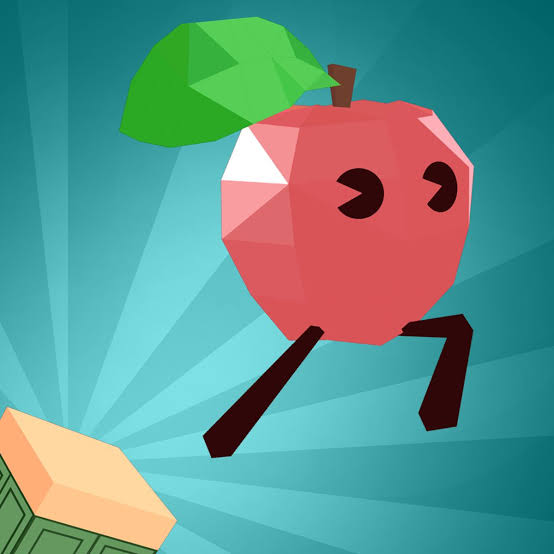
Up Together is a vertical parkour platform game from Iron Fox Games where you climb floating platforms, scale walls and use blue speed boosts to reach greater heights. Choose a fruit or vegetable character, avoid red obstacles, find hidden secrets and climb higher to improve your leaderboard position.
Up Together
Up Together is a vertical parkour platform game where you control a colourful fruit or vegetable character and try to climb as high as possible through floating platforms, walls and obstacles. Blue blocks provide useful speed boosts, while red blocks are best avoided. One badly timed jump can send you a long way down, so I find lining up each landing before committing to the next jump more reliable than constantly holding forward.
| Game Detail | Information |
|---|---|
| Game | Up Together |
| Developer | Iron Fox Games |
| Genre | Platform, Parkour |
| Gameplay Style | Vertical climbing, jumping, wall climbing and leaderboard progression |
| Controls | WASD / Arrow Keys, Spacebar |
| Supported Devices | Desktop, phone and tablet |
| Release Date | December 2023 |
| Latest Update | January 2025 |
| Rating | 4.2 |
| Votes | 143K+ |
| Multiplayer | Multiplayer elements and shared leaderboard competition |
About Up Together
Up Together is built around one clear objective: climb all the way toward the top.
You begin by choosing a fruit or vegetable character and giving it a name. From there, the route moves upward through platforms, walls, moving sections and obstacles that test jump timing and positioning.
Latest Up Together Update
The current Poki edition lists December 2023 as its release period and January 2025 as the latest update.
As of September 2026, Poki shows a 4.2 rating from more than 143,000 votes and confirms support for desktop, phone and tablet.
Up Together Gameplay
Your character moves freely around each platform while you work out how to reach the next section above.
Some jumps are straightforward, while others require you to climb walls, use momentum or carefully approach moving platforms.
Controls
- WASD: Move
- Arrow Keys: Alternative movement
- Spacebar: Jump
- Hold Spacebar: Keep jumping or climb walls
These are the current controls listed for the browser edition.
The MDN KeyboardEvent documentation provides useful technical background on keyboard input in browser games.
Up Together Characters
Before starting, you can choose a fruit or vegetable-style character.
The character selection gives the game its playful visual identity without making the parkour mechanics difficult to understand. Poki specifically describes choosing a favourite fruit or vegetable before beginning the climb.
Blue Blocks
Blue blocks provide a speed boost.
That additional momentum can help you clear longer jumps that would otherwise be difficult to reach.
I find it useful to check where the boosted jump should end before stepping onto the block. Extra speed is only helpful when you already know where you want to land.
Red Blocks
Red blocks act as obstacles that should be avoided.
They create another visual rule alongside the helpful blue blocks, making it easier to understand whether a section is designed to assist or disrupt your climb.
Wall Climbing
Holding the Spacebar allows your character to keep jumping or climb upward along walls.
This becomes important when the route cannot be solved with an ordinary jump from one flat platform to another.
The mistake I would avoid is holding the jump control without checking the wall’s direction. Small positioning adjustments before climbing can make the next landing much easier.
Moving Platforms
Some sections use moving platforms.
These require timing rather than simply jumping as soon as you arrive. Waiting briefly for a better position can give you a much cleaner route upward.
Falling And Checkpoints
Falling is one of the main challenges in Up Together.
Y8’s current game description notes that reaching checkpoints allows you to restart from your latest secured position rather than always returning to the very bottom.
That makes checkpoints especially valuable during longer climbs.
Up Together Leaderboard
Your height affects your position on the leaderboard.
The farther upward you travel, the better your ranking can become, which gives the game an ongoing objective beyond simply clearing one individual platform.
Hidden Secrets
Up Together also contains hidden secrets around the climbing environment.
Poki specifically encourages players to keep watching for areas that may not be immediately obvious from the main route.
These optional discoveries give you a reason to look around instead of always following the most direct visible path.
Up Together Multiplayer
Up Together is also categorized as a multiplayer game on current Poki listings, while other browser listings describe players climbing alongside others in the same broader parkour experience.
The core challenge remains climbing higher and improving your position rather than fighting other players directly.
Up Together Strategy
Look upward before moving forward.
Try to identify the next two platforms so you know which side of the current ledge gives you the best jumping angle.
I also find it useful to slow down after using a blue speed block. A successful long jump is only helpful if you remain positioned well enough for the section that follows.
For another game where careful physics-based positioning matters, Get On Top uses balance and short competitive rounds instead of vertical parkour.
Up Together Progression
Progress mainly comes from:
- Climbing higher
- Reaching checkpoints
- Using blue boosts
- Avoiding red obstacles
- Mastering wall climbs
- Finding hidden areas
- Improving your leaderboard position
There is no complicated equipment tree, so most improvement comes directly from better movement and route reading.
Who Created Up Together?
Up Together was created by Iron Fox Games.
Poki identifies it as the developer’s first game released on the platform.
Browser And Platforms
Up Together supports:
- Desktop
- Phone
- Tablet
The current Poki listing confirms all three device categories.
The game’s movement and jumping system is adapted for mobile play as well as keyboard-based desktop controls.
Games Like Up Together
Up Together is a good fit for players who enjoy obby games, vertical platformers and parkour challenges where mistakes can cost significant progress.
For another browser game built around unusual movement, Get On Top focuses on balance, while Blumgi Paintball uses colourful platform arenas and competitive objectives.
About This Game
Up Together works because its basic controls are simple while the climbing routes become increasingly demanding.
Moving and jumping take only a few keys, but moving platforms, wall climbing, speed blocks and long falls make positioning important. The leaderboard and hidden secrets also provide reasons to keep climbing after the basic mechanics become familiar.
Related Categories
Up Together fits naturally into:
- Platform Games
- Parkour Games
- Obby Games
- Skill Games
- Multiplayer Games
- Running Games
- Hard Games
- Mobile Games
Current Poki listings associate the title with Platform, Parkour, Skill, Multiplayer, Running, Keyboard, Obby and Hard game categories.
More Games From This Developer
Poki currently describes Up Together as Iron Fox Games’ first game on the platform, so there is not yet a larger Poki catalogue from the same developer to list.
Get The Game
Up Together runs directly through supported desktop and mobile browsers.
Use controlled jumps, learn how far blue boosts carry your character and prioritize reaching checkpoints. Looking one or two platforms ahead generally makes the long vertical climb easier to manage.
Idle Breakout


Related products
Among Us
-
Players: 4–15 online or local WiFi players.
-
Role Gameplay: Crew must complete tasks; Impostors secretly sabotage and eliminate.
-
Cross-Platform Play: Play on Android, iOS, PC, and consoles.
-
Party Game Fun: Best played with friends using voice chat for maximum strategy and deception.
-
Genres: Strategy, Indie, Action, Survival, Stealth, Party.

ARC Raiders
Step into ARC Raiders, the intense multiplayer extraction adventure set on a lethal, futuristic Earth! Face mechanized threats, rival Raiders, and high-stakes missions in a world where survival is everything.
ARC Raiders challenges players to scavenge, fight, and survive in a desolate future Earth. Enlist as a Raider and explore dangerous terrains, collect valuable loot, and outsmart both deadly machines and rival players in tense, action-packed encounters.
Disaster Arena


ROBLOX
From role-playing and adventure games to simulations and action-packed challenges, Roblox provides a variety of genres to explore.
Players can socialize, collaborate, compete, and even create custom events in these user-generated worlds. Every session is unique and driven by player creativity.
Watch Roblox live now and join thousands of viewers exploring games and worlds created by the Roblox community. Share experiences, discover new worlds, and enjoy interactive gameplay in real time.

TEKKEN 8
-
Characters: 32 returning and new fighters, each with unique stories.
-
Gameplay: Fighting, Action, and Arcade-style combat with upgraded systems.
-
New Mechanics: Introduces the "Heat" system and "Tornado" hits for advanced strategy.
-
Online Features: Arcade Quest mode, tournaments, customizable avatars, and in-game currency.
-
Platform: Compete in thrilling matches across console and PC, alone or online.

Reviews
There are no reviews yet.