
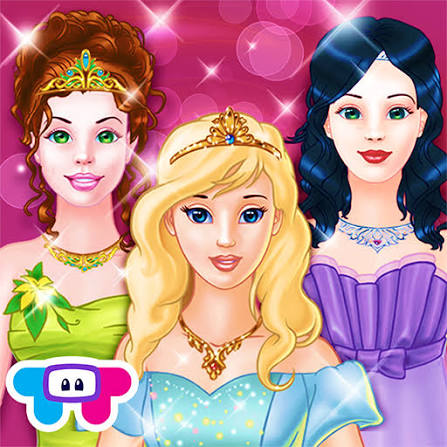


Fairy Dress-Up
Fairy Dress-Up is a fantasy character creator where you customize a fairy’s face, hair, wings, clothes, colors, background, and frame, then save your finished design.
Fairy Dress-Up is a character customization game from Entrevero Games where you build your own fairy by combining hairstyles, skin tones, facial features, wings, clothes, colors, backgrounds, and decorative frames. There is no fixed character you need to copy and no competitive score telling you which outfit is best. The main idea is simply to keep changing individual details until the whole character feels right.
The number of options can make the first screen look busier than it really is. I found it easier to decide on one main idea first, such as a soft forest fairy or a brighter fantasy style, and then work through hair, wings, clothes, and smaller details in that order. Randomly changing everything at once makes it harder to tell which combinations are actually working.
| Game Detail | Information |
|---|---|
| Game | Fairy Dress-Up |
| Developer | Entrevero Games |
| Genre | Beauty, Dress Up |
| Gameplay Style | Fairy creation and detailed character customization |
| Controls | Mouse click or touchscreen tap |
| Supported Devices | Desktop, phone and tablet |
| Browser Release | February 2023 |
| Latest Verified Update | December 2023 |
| Current Rating | 4.4/5 |
| Current Votes | 63K+ |
| Randomizer | Yes |
| Save Creation | Yes |
| Multiplayer | Single-player |
The current browser edition allows you to customize almost every visible part of the fairy and create as many different characters as you want.
Build the Character Before Choosing the Outfit
Fairy Dress-Up gives you much more control than simply choosing one dress.
You can adjust:
- skin color
- hair type
- hair color
- eyes
- nose
- lips
- wings
- clothes
- individual colors
- backgrounds
- decorative frames
Because so many areas can be changed, I would start with the fairy herself before worrying about the final scene.
Choose a face and hairstyle you like first.
Then move on to the outfit.
The background and frame can come last.
That makes the design process much easier to follow.
Fairy Dress-Up Controls
The controls are simple.
Desktop: Click an item or color to select or remove it.
Phone and tablet: Tap the option you want.
The game also includes separate buttons for randomizing and saving your finished character.
For technical background, the MDN Pointer Events guide explains how modern browser experiences can respond to mouse, touchscreen, pen, and other pointer input through a shared system.
Choose a Hairstyle First
Hair changes the character more than many smaller accessories.
That is why I would choose it early.
A long hairstyle can change how visible the wings or clothing remain, while a shorter style may leave more room around the face.
Hair color matters too.
Instead of choosing a color by itself, compare it with the clothes and wings you plan to use.
A very strong hair color may work better with simpler clothing, while a softer hairstyle leaves more room for brighter wings or accessories.
Change the Face Details
Fairy Dress-Up lets you go beyond hair and clothing by changing facial features as well.
You can experiment with different:
- eyes
- noses
- lips
- skin tones
This makes the character creator feel more flexible than a dress-up game where every player begins with the same face.
I would still avoid changing all of these repeatedly once the outfit is nearly finished.
Choosing the main character design first gives the rest of the styling a clearer direction.
Wings Define the Fairy Look
Wings are one of the most important design choices.
They immediately make the character feel more magical and often become one of the largest visual elements in the finished image.
Before selecting wings, check:
- their shape
- their size
- how much space they occupy
- whether their colors fit the outfit
Large wings can become the main feature of the whole character.
Smaller ones let the clothing take more attention.
Neither option is automatically better.
It depends on which part of the design you want people to notice first.
Customize Individual Colors
One of the stronger features in Fairy Dress-Up is the color panel.
Instead of always accepting an item exactly as it appears, you can change the color of many details.
This creates far more combinations from the same clothing pieces.
For example, an outfit that initially clashes with your chosen wings may work once its color is adjusted.
I would use color customization after choosing the shape of an item.
First decide whether you like the clothing itself.
Then adjust the shade.
That is faster than judging every item only by its starting color.
Keep the Color Palette Simple
Having many colors available does not mean every part of the character needs a different one.
A simple palette often makes the fairy easier to read.
Try choosing:
one main color
one secondary color
one smaller accent color
The exact combination does not matter.
The benefit is that the hair, clothes, wings, and background start feeling connected instead of looking like unrelated choices.
This is only a design approach, not a game rule.
You can still use as many colors as you want.
Use the Randomizer When You Get Stuck
The dice button creates a random fairy automatically.
This is useful when you have too many choices and do not know where to begin.
I would not necessarily keep the entire random result.
A better method is:
generate one fairy
find the part you like most
keep that element
change everything else around it
For example, the randomizer may produce wings you would never have selected yourself.
You can then build a completely different outfit around those wings.
Create More Than One Fairy
The game lets you make as many characters as you want.
That means there is little reason to force every favorite idea into one design.
One fairy could use dark colors and dramatic wings.
Another could use softer colors and a nature-inspired background.
A third might focus on one unusual hairstyle.
Separating ideas usually produces cleaner characters than trying to fit every interesting option into the same look.
Choose the Background Last
Backgrounds can change the mood of the final image considerably.
But I would leave them until most of the fairy is complete.
If you choose the background first, it can influence every later decision and make you feel like the character has to match it perfectly.
Choosing it later gives you a simpler question:
Which background makes this finished fairy easier to see?
That usually produces a better result.
Frames Finish the Image
Decorative frames are another final-stage choice.
They sit around the completed character rather than changing the fairy directly.
A frame works best when it supports the picture instead of becoming the main thing you notice.
If the fairy already uses large wings, detailed clothing, and a colorful background, a simpler frame may make the final image feel less crowded.
Save Your Creation
Fairy Dress-Up includes a save option for completed characters.
That gives each styling session a clear ending.
Before saving, I would quickly check:
hair
face
wings
outfit
colors
background
frame
Looking at the whole image instead of one category at a time can reveal small mismatches that were easy to miss while editing.
Playing Fairy Dress-Up on Mobile
The current browser edition supports:
- Desktop
- Phone
- Tablet
The same click-based interface adapts naturally to touchscreen controls.
There is no complicated movement system or keyboard layout.
Most actions involve selecting visible menu items.
The W3C Pointer Events specification gives more technical detail on how browser applications can support mouse and touch interaction across different devices.
Why Larger Screens Can Help
Fairy Dress-Up works on phones, but a larger display can make the character easier to inspect.
This becomes useful when adjusting:
small facial features
similar colors
detailed wings
background elements
decorative frames
Mobile still works well because the basic controls only require tapping.
The main difference is how much of the character and interface you can comfortably see at one time.
Who Created Fairy Dress-Up?
Fairy Dress-Up was created by Entrevero Games.
The studio describes itself as a cooperative independent game developer based in Montevideo, Uruguay, focused on expressive graphics and engaging game mechanics. Entrevero Games’ official website provides the studio’s current portfolio and team information.
Uruguay’s national video-game industry directory also identifies Entrevero Games as a developer focused mainly on mobile and HTML5 projects. Uruguay Video Games’ developer profile provides additional studio background.
Other Games From Entrevero Games
Entrevero Games has worked on several browser titles, including:
- Kawaii Dress-Up
- Dungeons & Dress-Ups
- Wonder High Dress-Up
- Cozy Room Design
- Vero Life
- Bearsus
- Stick Fighter
The developer’s official site also lists current projects such as Cozy Room Design, Stick Fighter, Bearsus, and Vero Life.
This makes Fairy Dress-Up part of a wider catalogue that includes both creative customization games and action titles.
Fairy Dress-Up Release and Update
The current browser listing gives:
Release: February 2023
Latest update: December 2023
Current rating: about 4.4 out of 5
Current votes: more than 63,000
Rating and vote totals can change as more people play and rate the game.
The dates above refer to the current browser edition rather than claiming an older version existed before it.
Is Fairy Dress-Up Multiplayer?
No.
Fairy Dress-Up is a single-player character creator.
You make your own fairy rather than competing against another live player.
The game does allow finished creations to be saved and shared, but the character-building itself remains a solo activity.
Fairy Dress-Up vs Competitive Fashion Games
Fairy Dress-Up has no timer, podium, or live fashion contest.
That makes it quite different from games such as Vortella’s Dress Up, where clothing choices are connected to themed multiplayer rounds.
Fairy Dress-Up is more relaxed.
You can change the same character repeatedly and experiment without worrying about another player’s score.
For players who care more about character creation than competition, that slower structure can be more useful.
A Simple Way to Build a Fairy
I would use this order:
Choose the skin tone.
Pick the face.
Select the hairstyle.
Choose the wings.
Build the main outfit.
Adjust the colors.
Add smaller details.
Choose a background.
Add a frame.
Save the finished character.
This order is not required by the game.
It simply prevents the large number of customization choices from becoming confusing.
Related Categories
Fairy Dress-Up fits naturally into:
- Dress Up Games
- Beauty Games
- Fashion Games
- Fairy Games
- Fantasy Games
- Character Creator Games
- Girls Games
- Mobile Games
- Single-Player Games
The strongest Prothots internal links for this page would be other fashion and character-creation titles such as Vortella’s Dress Up, Fashion Legends, or similar dress-up games.
I checked the Prothots sitemap endpoints for exact live URLs, but they were not accessible through the current web reader, so I have not guessed or invented those internal URLs. Once those pages are visible in the sitemap, they should be preferred over unrelated games simply to reach a link count.
What Makes Fairy Dress-Up Different?
The game gives you unusually detailed control over one character.
You can change the face.
You can change the skin.
You can change the hair.
You can choose wings.
You can recolor small details.
You can switch the background and frame.
And if the amount of choice becomes overwhelming, the randomizer creates a complete character instantly.
That combination makes Fairy Dress-Up feel closer to a lightweight fantasy character creator than a simple one-outfit dress-up screen.
About Fairy Dress-Up
Fairy Dress-Up is built around creative freedom rather than competition.
The large number of hairstyles, facial features, wings, clothes, colors, backgrounds, and frames gives you enough flexibility to make very different fairies without learning any complicated controls.
The easiest way to manage all those choices is to work from large decisions toward small ones. Once I treated the character, wings, and main outfit as the foundation and left colors and decorative details until later, creating a finished look became much easier.
Reviews
There are no reviews yet.