
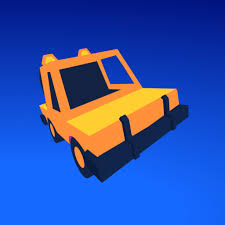


Driftwave
Driftwave is a gesture-controlled driving game where you drag to steer, drift around sharp corners, avoid obstacles, collect items, and race through challenging tracks.
Driftwave is a 3D driving game where you guide a small car across twisting tracks by dragging rather than using the usual WASD steering. The car moves forward while you control its direction, drift around tight bends, make quick turns, avoid obstacles, and try to reach the finish as quickly as possible.
The controls look unusual at first, but that is also what makes the game interesting. My first mistake was dragging too far every time a corner appeared. Strong steering helps on sharp bends, but smaller movements usually keep the car more stable. Once I started adjusting the drag gradually instead of making one large correction, the tracks became much easier to read.
| Game Detail | Information |
|---|---|
| Game | Driftwave |
| Developer | Jamie Rowan x Rowan Future |
| Genre | Driving, Racing |
| Gameplay Style | Drag steering, drifting and time-based track completion |
| Controls | Swipe, click and drag |
| Supported Devices | Desktop, phone and tablet |
| Browser Release | February 2024 |
| Latest Verified Browser Update | August 2024 |
| Latest Verified Android Update | August 27, 2026 |
| Current Rating | 4.4/5 |
| Current Votes | 38K+ |
| Levels | 20+ in current mobile edition |
| Unlockable Cars / Cosmetics | Yes |
| Multiplayer | Single-player |
The current Poki listing identifies JamieRowan x RowanFuture as the creators and shows a rating of about 4.4 from more than 38,000 votes. The mobile edition describes more than 20 levels and multiple unlockable cosmetic items.
Steering Works Differently From Most Driving Games
Driftwave does not give you traditional left and right steering buttons.
Instead, you control the car through dragging.
Swipe forward to begin moving.
While the car is travelling, click or press and drag in the direction you want it to turn.
The farther you drag, the stronger the steering effect becomes.
This changes how you approach corners.
Rather than holding a steering key for a fixed amount of time, you constantly decide how much direction change the car needs.
Driftwave Controls
The main controls are:
Swipe forward: Start driving
Click and drag: Drift and steer
Drag farther: Increase steering strength
Swipe in another direction: Make a faster directional change
The developers describe Driftwave as a mouse and touch-controlled driving game where holding, dragging, and releasing are used for most manoeuvres.
The MDN Pointer Events guide explains how browser games can support mouse and touchscreen input through the same web interaction system.
Start With Small Steering Movements
Large drags can turn the car sharply.
That is useful when the track changes direction suddenly, but using maximum steering on every corner often creates another problem immediately afterward.
A smaller drag usually gives you more time to straighten the car before the next bend.
I would begin with short movements and increase the drag only when the corner clearly needs it.
This makes the car feel much less unpredictable.
Drifting Around Tight Corners
Drifting is one of the main mechanics.
You begin steering while the car still has forward momentum, allowing it to slide around the bend rather than stopping and turning slowly.
The current game description specifically focuses on maintaining speed through tight corners.
The useful part is deciding when to begin.
Start too early and you may cut too far inside.
Start too late and the car can leave the track.
The cleanest drift usually begins slightly before the corner becomes sharp.
Look at the Exit of the Corner
Watching only the front of the car makes drifting harder.
Instead, look toward where you want the vehicle to finish the turn.
That gives you a better idea of how far to drag.
If the exit is already straight ahead, begin reducing the steering.
If the track keeps bending, hold the direction slightly longer.
This is much easier than repeatedly correcting the car after it has already rotated too far.
Quick Turns
Driftwave also lets you make fast directional changes with stronger swipes.
These become useful on tracks where two turns appear close together.
The challenge is not simply making the first turn.
You also need to leave the car positioned correctly for the second one.
I would avoid using the strongest possible swipe unless the track clearly demands it.
Overturning can cost more time than taking the corner slightly slower.
Avoid Obstacles
The tracks are not completely open.
Obstacles force you to change the ideal racing line and sometimes make a wide route safer than the shortest one.
Poki specifically describes obstacle avoidance as part of the level challenge.
When an obstacle sits close to a corner, I would decide on the route before beginning the drift.
Trying to change direction halfway through a large slide makes the car much harder to control.
Drive Against the Clock
Driftwave is built around completing tracks quickly.
That means every unnecessary correction costs time.
The faster route is not always the route with the highest speed.
A slightly slower but clean corner can save more time than entering too fast, sliding wide, and then correcting the car.
This is where the game becomes more about precision than simply accelerating.
Replaying Levels for Better Times
Once you know the track layout, replaying becomes more useful.
Your first attempt teaches you:
- where the sharpest corners are
- where obstacles appear
- which sections need strong drifts
- where smaller steering movements work better
- how early you can line up the finish
On later attempts, you can begin adjusting before the problem appears.
That is usually where the biggest improvements come from.
Pick Cars From the Garage
Driftwave includes a garage where you can choose different vehicles.
The current browser description specifically mentions selecting your favorite car before taking on the tracks.
The mobile edition also describes multiple unlockable cosmetic items.
I would treat the garage mainly as a progression and customization feature rather than expecting a new car to solve poor corner timing.
Learning the controls still makes the biggest difference.
More Than 20 Levels
The current Android edition describes 20+ levels.
Each track changes how frequently you need to drift and how aggressively you need to change direction.
Early tracks are useful for understanding the drag controls.
Later stages ask for cleaner transitions between:
straight driving
drifting
quick turns
jumps
obstacle avoidance
The same control system stays in place, but the track design keeps changing how you use it.
Jumping Sections
The developers’ itch.io page shows jumping as one of Driftwave’s supported manoeuvres.
These sections are less about steering continuously and more about entering the jump from the correct direction.
If the car approaches at a poor angle, trying to fix it in the air is much harder.
I would line up before reaching the ramp.
A clean approach usually makes the landing easier.
Collecting Parcels
The developer’s own Driftwave page also shows parcel collecting as part of the game.
Collectibles encourage you to think about more than simply reaching the finish.
Sometimes the fastest racing line and the route toward a collectible may not be identical.
That gives players another reason to replay levels after learning the basic route.
Stop on the Finish Area Cleanly
The earlier jam version of Driftwave was built around reaching and stopping at the finish line rather than simply flying through it at uncontrolled speed.
The modern edition has expanded considerably, but the same idea helps with control.
Do not treat the final section as a place where steering no longer matters.
A clean final approach prevents one late mistake from ruining an otherwise good run.
Playing on Mobile
Driftwave supports:
- Desktop
- Phone
- Tablet
Poki confirms all three device types.
The control system works particularly well on touchscreens because it is already based around swiping and dragging.
You do not need several virtual steering buttons.
Instead, the same basic gesture used with a mouse can be performed with a finger.
The W3C Pointer Events specification gives technical background on how web applications can support mouse, touch, and other pointing devices.
Desktop vs Touch Controls
Desktop uses the mouse.
Mobile uses finger input.
The main mechanic remains almost identical.
That gives Driftwave an advantage over driving games that rely on several keyboard keys.
You do not need to completely relearn the control layout when moving between devices.
The main adjustment is how precisely you can control the distance and direction of each drag.
Who Created Driftwave?
Driftwave was created by Jamie Rowan and Rowan Future.
Poki credits them as JamieRowan x RowanFuture and identifies Driftwave as their first game on the platform.
The developers also maintain an itch.io page for the project, where Driftwave is identified as:
- HTML5
- Racing
- Action
- 3D
- Arcade
- Casual
- Built with GameMaker
This developer page is particularly useful because it confirms the unusual mouse-and-touch design directly from the creators rather than relying only on a game portal description.
GameMaker Technology
The developer lists GameMaker among Driftwave’s technology tags.
GameMaker supports exporting games to different platforms, which fits Driftwave’s later availability across browser and Android editions.
The official GameMaker documentation provides technical background on the engine and its development tools.
For players, the engine itself does not change the controls. It mainly explains how the same basic game can be adapted across different devices.
Driftwave Release History
The modern browser edition has a clear release history.
February 2024: Poki lists Driftwave as released.
August 2024: Poki lists its latest browser update.
August 27, 2026: Google Play currently lists a newer Android update from Rowan Future.
The mobile update should not be used as the browser update date because the two versions have separate release histories.
Current Driftwave Rating
The current Poki listing shows approximately:
Rating: 4.4 out of 5
Votes: 38,900+
These totals can change as more players submit ratings.
Is Driftwave Multiplayer?
The current browser game is best classified as single-player.
The official descriptions focus on individual track completion, personal times, level progression, and unlocking cars rather than live racing against another player.
There is no verified online or local multiplayer mode in the current version.
Driftwave vs Traditional Driving Games
Most browser driving games use familiar controls:
WASD
Arrow Keys
brake buttons
handbrake keys
Driftwave takes a very different approach.
You point.
Drag.
Release.
The amount and direction of that drag determine how the car moves.
That makes it feel closer to a gesture-based precision game than a conventional keyboard racer.
A Better Way to Learn Driftwave
I would use this progression:
Start with short drags.
Learn how quickly the car rotates.
Look toward the exit of each corner.
Begin the drift slightly before the bend.
Reduce the drag as the car points toward the exit.
Only use large swipes when the track clearly requires them.
Replay levels after learning the obstacle positions.
Then work on faster times.
This method makes the controls much easier to understand than trying to drive at maximum speed immediately.
Related Categories
Driftwave fits naturally into:
- Driving Games
- Racing Games
- Drift Games
- 3D Games
- Skill Games
- Car Games
- Mobile Games
- Single-Player Games
The strongest Prothots internal links would be other driving and racing games, especially Drive Freedom, Flying Car Simulator, and other car titles already being added to your site.
I checked the current Prothots sitemap endpoints for their exact live URLs, but they were not accessible through the web reader, so I have not guessed the slugs. Your verified G-Switch 4 page can be used for broader skill-game navigation, but it is less contextually relevant than a true driving-game page.
What Makes Driftwave Different?
Driftwave makes one unusual control system responsible for almost everything.
Dragging starts the movement.
Dragging changes direction.
The distance of the drag changes the strength.
The timing determines whether the car drifts smoothly or leaves the track.
That keeps the interface simple while still giving the player precise control.
The challenge is not memorizing buttons.
It is learning how much movement each corner needs.
About Driftwave
Driftwave turns drifting into a gesture-based driving puzzle.
Instead of holding steering keys, you drag the car into each turn and adjust the strength of the movement depending on the shape of the track.
The game becomes much easier once you stop making large corrections. Smaller drags, earlier planning, and looking toward the exit of a corner give the car a much smoother line.
With more than 20 levels in the current mobile edition, unlockable cosmetics, collectibles, jumps, and time-based challenges, Driftwave gives its simple control system enough variety to stay interesting beyond the first few tracks.





Reviews
There are no reviews yet.