


Wood Turning 3D Simulator Unblocked
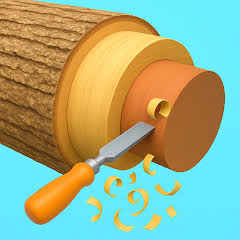
A browser lathe game based on Woodturning 3D. You press a chisel into spinning wood and carve it to match a faded outline without cutting too deep.
If you have ever wanted to try a lathe without the sawdust, Wood Turning 3D Simulator Unblocked lets you shape spinning wood right inside a browser tab. The game follows the Woodturning 3D idea that Voodoo made famous on phones: a block spins, you press a chisel against it, and you try to match a faded outline. Each level is short, but the hard part is control, because a cut that goes a fraction too deep stays in the wood for good. Patient, steady hands score well, while rushed strokes leave dents you cannot fix.
| Game Detail | Information |
|---|---|
| Game | Woodturning 3D (browser simulator version) |
| Developer | Woodturning 3D mobile game by Voodoo; browser builds come from various web publishers |
| Genre | Simulation, Casual, Skill |
| Gameplay | Press a chisel into a spinning block to carve it into a target shape |
| Controls | Hold and drag with the mouse, trackpad or finger |
| Supported Devices | Chromebook, Windows and Mac browsers, phones and tablets |
| Multiplayer | No, single player |
| Main Goal | Carve each piece as close to the outline as possible |
| Android App | No official app verified (same-genre carving app linked) |
What You Actually Do On The Lathe
The wood sits sideways between two clamps and spins at high speed. Because it spins, any spot your chisel touches gets shaved all the way round, so every finished object is round in cross section. Think of chair legs, rolling pins, candle holders and chess pieces.
Above the block you see a pale outline of the target. You slide the tool along the wood and push it in at each point until the edge of the wood lines up with that outline. When you are happy, you finish the level and the game checks how close your shape came to the template.
Wood you carve away is gone for good, so every level rewards cutting less, more often.
Mouse, Trackpad And Touch Controls
- Press and hold: bring the chisel into contact with the spinning wood.
- Move left or right: slide the chisel along the length of the block.
- Move toward the wood: cut deeper at that spot.
- Let go: pull the tool away so nothing else gets cut.
- Finish or paint buttons: end the carving stage and pick a colour, where the version offers it.
Getting Clean Cuts On A Chromebook Trackpad
Many players open this game on a school Chromebook with no mouse, and a trackpad makes fine control harder. A few small changes help a lot.
Slow Down The Pointer
In ChromeOS settings you can lower the touchpad speed. A slower pointer means one finger movement equals a smaller chisel movement, which is exactly what you want near the outline.
Use Two Fingers Less, One Finger More
Click-and-drag on a trackpad is easier if you press the pad with one finger and drag with the same finger, rather than mixing tap gestures. Accidental two-finger taps can open menus and break your stroke.
Rest Your Wrist
Shaky strokes often come from holding your hand in the air. Rest the heel of your hand on the laptop body so only your finger moves. The cuts become smoother straight away.
Reading The Template Before You Touch The Wood
Spend two or three seconds looking at the outline before the first cut. Find the widest part of the shape, the narrowest part and any sharp steps. The widest part needs almost no cutting, so you can ignore it at first.
Then carve from the outside in. Bring the whole block down close to the widest line, then work on the middle sections, and leave thin necks and tiny grooves for the very end. Thin parts are where scores drop, because one jitter cuts straight through the line.
Another useful habit is to stop at the line, not on it. Leaving a hair of extra wood costs you very little, while going past the line costs far more.
How The Levels Change As You Play
Early pieces are basic cylinders with one or two curves. After a few levels the outlines add sharp shoulders, deep grooves and long thin stems. Some versions add a painting or decorating step at the end, where you choose colours or patterns for the finished piece. Those extras are cosmetic and do not change how the carving is judged.
What Unblocked Means For This Simulator
Here the word unblocked simply describes a browser version that runs in a normal tab, with no app store and no install. The game uses HTML5 and WebGL to draw the 3D wood, so it works in Chrome on a Chromebook as well as Edge, Firefox and Safari.
It does not mean the game is allowed everywhere. Schools and workplaces decide what can be opened on their networks and devices, so follow those rules and save your carving for break time or home. This page does not explain any way around filters, proxies or VPNs.
The Studio Behind Woodturning 3D
Woodturning 3D became well known as a mobile game published by Voodoo, the French mobile game publisher that specialises in short hyper-casual titles. The game also appeared on consoles, including Nintendo Switch, PlayStation and Xbox.
The browser simulator you play online is a web build of the same idea and may come from a different web publisher, so small things like menus and level order can vary between sites. The craft itself is real: woodturning is an old workshop skill where a turner shapes wood on a lathe with hand tools.
Games Like Woodturning 3D
If calm, satisfying tasks are what you enjoy, try Slice Master Unblocked 76 for a quick cutting game with simple timing. Water Sort Puzzle 3D Browser Version has the same relaxed pace, though you sort colours instead of shaping wood. For something about fixing and building, Retro Garage Browser Free Edition lets you restore old cars step by step.
Woodturning 3D FAQ
Can I Undo A Cut That Went Too Deep?
No. Like a real lathe, the game does not put wood back. Your only fix is to carve the rest of the piece to suit the mistake, or restart the level.
Does It Work Without A Mouse?
Yes. A trackpad or touch screen works fine. Lower your pointer speed on a trackpad for finer control near the outline.
Is It The Same As The Voodoo Phone Game?
It follows the same idea and controls. Browser builds can differ in levels, menus and extras, so treat it as a close cousin of the phone version.
Related Categories
- Simulation games
- Casual games
- Skill games
- Relaxing browser games
About This Game
Wood Turning 3D Simulator Unblocked is a quiet skill game where the lathe does the spinning and your hand does the thinking. Each level takes a minute or two, which makes it a good fit for a short break.
Take shallow passes, stop just short of the line and keep thin parts for last. Do that and your pieces will start looking like the template instead of a chewed pencil.






Related products





TEKKEN 8
-
Characters: 32 returning and new fighters, each with unique stories.
-
Gameplay: Fighting, Action, and Arcade-style combat with upgraded systems.
-
New Mechanics: Introduces the "Heat" system and "Tornado" hits for advanced strategy.
-
Online Features: Arcade Quest mode, tournaments, customizable avatars, and in-game currency.
-
Platform: Compete in thrilling matches across console and PC, alone or online.



Warframe
-
Genre: Shooter, RPG, Adventure Game, Action
-
Gameplay: Fast-paced combat, explore solar system, complete missions & raids
-
Customization: Upgrade and master different Warframes with unique powers
-
Objective: Overthrow the Grineer Empire and protect the solar system
-
Replayability: Endless missions, cooperative raids, frequent updates, and events
Reviews
There are no reviews yet.