
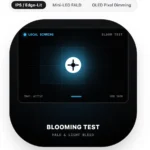
Blooming Test
- New No reviews yet
- Varies Size
- Latest Version
- Verified
Free
About Blooming Test
Check halos and glow around bright objects on dark backgrounds on mini LED and local dimming screens.
Blooming is the glow or halo that appears around bright objects on a dark background, like subtitles, a mouse cursor, stars or a white logo on black. It happens on LCD screens with local dimming, including mini LED TVs and monitors, because each backlight zone is much larger than a single pixel. When a zone lights up for a small bright object, the black around it lights up too.
How To Run A Blooming Test
Turn off the room lights and show small white shapes, lines or a checkerboard on a black background. Move them around slowly and watch for a gray cloud around each object. Test with local dimming set to Low, Medium and High, since stronger dimming gives deeper blacks but often more visible halos.
Blooming On Different Screens
- OLED: no blooming, because each pixel lights itself.
- Mini LED: small halos that depend on zone count and processing.
- Edge lit LCD: wide vertical or horizontal glow bands.
Which App The Install Button Opens
The button opens a related app, Screen Test – Dead Pixel Check on Google Play. Its contrast test with checkerboard and stripe patterns and its grid, crosshair and circle patterns make blooming easy to spot. Also check edge leaks with our Backlight Bleed Test.
Key Features
- Checkerboard and stripe contrast patterns
- Grid, crosshair and circle patterns
- Helps tune local dimming levels
- Works on Android TV, phones and tablets
- Extra uniformity and burn-in tests
Our Take On Blooming Test
What We Like
- Shows halo strength in seconds
- Helps pick the best local dimming mode
- Free
What Could Be Better
- Not meaningful on OLED, which has no blooming
- Results depend heavily on room lighting
Download Safety
- Official source You get it from the developer's own website.
- No changes made You install the developer's own build, nothing in between.
Questions People Ask About Blooming Test
01 What is blooming on a TV?
A glow around bright objects on dark backgrounds caused by local dimming zones lighting more than the object.
02 Does OLED have blooming?
No. OLED pixels light individually, so there are no zones to bloom.
03 How do I reduce blooming?
Lower the local dimming level or switch to a picture mode with gentler dimming.
04 Is Blooming Test free to download?
Yes. Blooming Test is free to download and install.
05 Is it safe to install Blooming Test from here?
Yes. The button takes you to the developer's own download link, so nothing is changed or repacked on the way.
How To Install Blooming Test
- Tap the download button. The developer's official download page opens.
- Tap their APK download button and wait for the file to save.
- If Android asks, allow "Install unknown apps" for your browser. You only do this once.
- Open the file and tap Install.
Updating? Install the new APK over the old one. Your data stays, as long as both came from the same source.
All apps are the property and trademark of their developers. Downloads are served from the official source shown on each page. We do not host modified or cracked files.