
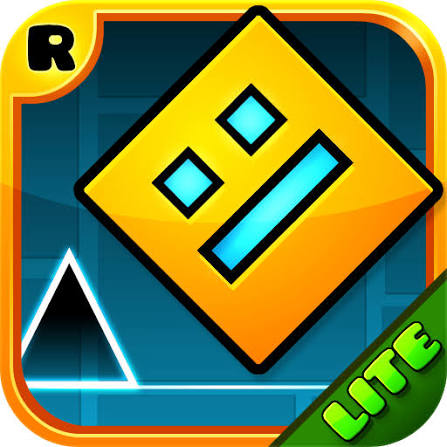

Geometry Dash Lite HTML5 Full Screen
The free Lite edition of RobTop Games’ rhythm platformer. Tap or click in time with the music to jump spikes, fly through portals and reach 100% on each level.
One button, a square that never stops moving, and a level packed with spikes timed to the beat of the music. Geometry Dash Lite HTML5 Full Screen is the free taste of RobTop Games’ famous rhythm platformer, played in a browser window stretched to fill your whole screen. You jump, fly and flip through levels where a single mistimed tap sends you back to the start. It is simple to learn and very hard to finish, which is exactly why people keep pressing retry.
| Game Detail | Information |
|---|---|
| Game | Geometry Dash Lite |
| Developer | RobTop Games |
| Genre | Rhythm platformer, skill |
| Gameplay | Tap or click in time with the music to jump over spikes and obstacles |
| Controls | Click, Space or Up Arrow (tap on touch screens) |
| Supported Devices | PC, Mac and Chromebook browsers, Android and iOS |
| Release | 2013 on mobile (Geometry Dash and Geometry Dash Lite) |
| Multiplayer | No, single player |
| Main Goal | Reach 100% on each level without crashing |
| Android App | Yes – official |
How A Geometry Dash Run Plays Out
Your icon moves forward on its own at a fixed speed. All you control is when it jumps. Spikes, blocks and gaps come at you in patterns designed around the soundtrack, so the beat is a real clue about when to press. The level shows your progress as a percentage, and every crash restarts the attempt from 0%.
Partway through a level, portals change how you move. In cube form you hop. Through a ship portal you hold to fly up and release to drop. The ball flips gravity with each press, and other forms change the rules again. Learning what each portal does is half of beating a level.
Practice Mode And Checkpoints
Practice mode lets you place checkpoints, so a crash sends you back only a short way instead of to the start. The smart way to learn a level is to practise the hard section many times, then try a clean normal run once your hands know the pattern.
Controls For Jumping, Flying And Flipping
- Left Click / Space / Up Arrow: jump as the cube, or hold to fly as the ship
- Hold: keep jumping on landing in cube mode, useful for long rows of spikes
- Tap: on touch screens, tap anywhere to jump
- Esc: pause the level
Tips To Push Your Percentage Higher
- Play with sound on. The obstacles line up with the music, so the beat tells you when to press.
- Use small taps in the ship. Holding too long sends you into the ceiling; short taps keep you level.
- Watch the ground, not your icon. Your eyes should look a little ahead to spot the next pattern.
- Do not rage-retry. A few calm breaths between attempts gives better runs than fast angry restarts.
- Learn one section at a time in practice mode, then link the sections together.
How To Get A Lag Free Full Screen Game
In a rhythm game, a tiny delay can turn a perfect jump into a crash, so performance matters more than in most browser games. Use the game’s full screen button if the page has one, or press F11 in Chrome or Edge on Windows to make the whole browser full screen. Full screen also hides other tabs and notifications that pull your focus.
- Close other tabs and video players, since they compete for the same processor and memory.
- Turn on hardware acceleration in Chrome under Settings, then System, so your graphics chip does the drawing work.
- Plug in your laptop. Many laptops slow down on battery to save power.
- Use a wired mouse or the Space key if a wireless mouse feels delayed.
Who Created Geometry Dash
Geometry Dash was made by RobTop Games, the studio of Swedish developer Robert Topala. The full game and the free Lite version both arrived on mobile in 2013, and a PC version followed on Steam. Lite includes the opening levels of the main game with ads, so players can try the style before buying the full version, which adds more levels, the online level editor and community creations. More details are on the Geometry Dash Wikipedia page and on the RobTop Games official site.
What The HTML5 Browser Version Is
RobTop’s official versions are the mobile apps and the Steam release. The HTML5 versions you find on browser game sites are web builds that run in Chrome, Edge or Firefox with no download, which is why they work on Chromebooks. If you want the official experience with saved progress tied to your device, the Android app of Geometry Dash Lite is free. On a school or work network, follow the rules about playing games.
The Game Forms You Meet Through Portals
Each portal swaps your icon into a new form with its own rule. The cube jumps, the ship flies while you hold, the ball switches gravity on every press, and the UFO makes small flaps in the air. Changing form in the middle of a hard section is what makes later levels feel so busy, because your hands must switch rules in a split second.
Games Like Geometry Dash
Space Waves Neon Platformer Unblocked is very close in feel, with a wave icon that you steer through tight neon corridors. G-Switch 3 Unblocked Free is another one-button game, but you flip gravity instead of jumping. For a calmer test of timing, Stickman Hook Premium Free has you swing from hook to hook.
Geometry Dash FAQ
What Is The Difference Between Geometry Dash And Lite?
Lite is free and includes only the first levels with ads. The full game adds many more levels, the level editor and online creations.
Why Does Geometry Dash Feel Laggy In My Browser?
Background tabs, battery saving and disabled hardware acceleration are the usual causes. Close tabs and turn on hardware acceleration in Chrome.
How Do You Get Better At Geometry Dash?
Use practice mode with checkpoints to learn hard parts, play with sound on, and keep your eyes slightly ahead of your icon.
Related Categories
- Skill Games
- Platform Games
- Arcade Games
- Music Games
About This Game
Geometry Dash Lite is a one-button rhythm game that turns every level into a test of timing and memory.
Go full screen, turn the sound up and see how close to 100% you can get.










Reviews
There are no reviews yet.