
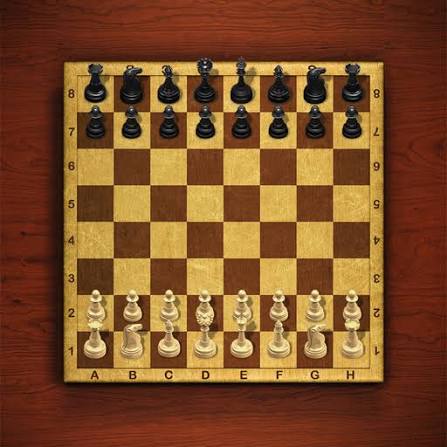


Master Chess
Master Chess is a classic browser chess game where you play against the computer or a friend, develop pieces, protect your king, and aim for checkmate.
Master Chess is an online version of classic chess where you can play against the computer or challenge a friend on the same device. The game keeps the normal chessboard, pieces, movement rules, check, checkmate, and turn-based strategy, while removing the need to set up a physical board.
The controls are very simple, but the game itself is not. I find it much easier to improve when I stop moving pieces simply because a move is available. Checking what the opponent can do immediately afterward prevents many avoidable mistakes, especially with the queen and other valuable pieces.
| Game Detail | Information |
|---|---|
| Game | Master Chess |
| Developer | Codethislab |
| Genre | Board / Strategy |
| Gameplay Style | Classic chess against computer or local opponent |
| Controls | Mouse click or tap |
| Supported Devices | Desktop, phone and tablet |
| Poki Release | March 2019 |
| Latest Verified Update | December 2025 |
| Current Rating | 4.4/5 |
| Current Votes | 1.94M+ |
| Multiplayer | Local 2-player |
| Solo Mode | Yes, computer opponent |
The current Poki listing confirms Codethislab as the developer, March 2019 as the release period, and December 2025 as the newest listed update.
Choose Solo or Two-Player Mode
Master Chess gives you two main ways to play.
You can face the computer alone or share the device with another player.
Solo mode is useful for practicing without waiting for anyone else. The game includes easier and harder computer difficulty options, so you can increase the challenge once basic moves feel comfortable.
Local two-player mode is better when you want to play directly against a friend on the same computer, phone, or tablet.
Master Chess Controls
The controls are minimal.
Desktop: Click a piece with the left mouse button, then choose where you want to move it.
Phone and tablet: Tap the piece and then tap the destination square.
Poki confirms that both mouse clicks and touch input are supported.
The W3C Pointer Events standard explains how modern browsers can handle mouse and touchscreen input through one common system.
Understand the Goal Before Moving
The goal of chess is not to capture every opposing piece.
The real objective is checkmate.
Under the official FIDE Laws of Chess, checkmate happens when the opponent’s king is under attack and there is no legal move that removes that threat.
That distinction matters because a player can win even when many pieces remain on the board.
Every move should ultimately help protect your own king or increase pressure on the opponent’s position.
White Moves First
Chess begins with White making the first move.
After that, the players move alternately. This is part of the official basic rules maintained by FIDE.
That first move gives White the chance to influence the opening immediately, but it does not guarantee an advantage large enough to decide the game by itself.
What matters more for casual players is developing pieces sensibly and avoiding early mistakes.
Learn What Each Piece Does
Master Chess follows the standard movement rules.
King
The king moves one square at a time.
Protecting it is the main objective because the game ends when it is checkmated.
Queen
The queen can move long distances horizontally, vertically, and diagonally.
It is powerful, but moving it out too early can make it an easy target.
Rook
Rooks move horizontally or vertically.
They become especially useful once open files and ranks appear later in the game.
Bishop
Bishops move diagonally.
Each bishop remains on the same colour squares for the entire game.
Knight
Knights move in an L-shaped pattern.
They are also able to jump over other pieces.
Pawn
Pawns normally move forward and capture diagonally.
Although they are the least valuable pieces individually, pawn structure has a major effect on the whole position.
The official FIDE rulebook defines the legal movement of each piece.
Develop Pieces Early
A useful opening goal is getting knights and bishops into active positions.
One mistake I would avoid is repeatedly moving the same piece while the rest of the army remains on the starting row.
Development gives you more options.
It also makes castling easier and reduces the chance that one early attack leaves the king exposed.
You do not need to memorize dozens of openings to benefit from this idea.
Control the Centre
The middle of the board matters because pieces placed there often have more possible moves.
Central pawns can also restrict the opponent while opening lines for bishops and the queen.
A useful beginner habit is to ask whether a move helps control or influence central squares.
That usually produces a healthier position than pushing random edge pawns.
Do Not Bring the Queen Out Too Early
The queen is your strongest attacking piece, which makes it tempting to use immediately.
That can backfire.
If the opponent develops pieces while attacking your queen, you may spend several turns moving the queen again instead of improving the rest of your position.
I find it better to let knights and bishops develop first unless there is a clear tactical reason to use the queen early.
Protect Your King
Leaving the king in the centre for too long can make later attacks much harder to defend.
Castling is one of the standard chess moves that can improve king safety while bringing a rook closer to the centre.
FIDE’s official rules include castling as a special king move with specific conditions.
You cannot castle through every position, so it helps to prepare for it before the board becomes crowded.
Think Before Capturing
A free-looking piece is not always free.
Before capturing, check what happens to your piece afterward.
The opponent may be deliberately leaving something exposed because capturing it opens another attack.
A useful habit is asking:
What attacks my piece after this move?
What becomes open?
Can the opponent respond with check?
Those questions prevent many simple tactical mistakes.
Watch for Check
When your king is attacked, you must respond.
You cannot ignore check and continue with an unrelated move.
The position has to be resolved by moving the king, blocking the attack where legal, or capturing the attacking piece.
The official FIDE rules state that players may not leave their own king under attack.
Master Chess follows these standard chess principles.
Checkmate Ends the Game
Check and checkmate are different.
Check means the king is currently attacked.
Checkmate means the king is attacked and there is no legal way to escape.
Once checkmate occurs, the game is over.
This is why looking one move ahead is so important.
A move that appears safe can sometimes allow the opponent to create an immediate mating threat.
Easy Computer Mode
The easier computer setting is useful when you are still learning.
Instead of concentrating only on whether you win, use those games to practice:
developing pieces,
keeping the king safe,
not leaving pieces undefended,
and recognizing checks.
Winning becomes more consistent once those habits improve.
Hard Mode
The harder computer setting gives you a stronger opponent.
Poki describes it as the more serious challenge for players who want to test their strategy beyond the easy setting.
The best way to use a harder computer is not simply replaying quickly after a loss.
Look back at where the position changed.
Often one earlier mistake created the later problem.
Local Two-Player Chess
Master Chess supports two players on the same machine.
That means you can play directly against a friend without creating separate online accounts.
The board handles the pieces digitally, so you do not need to set up a physical chess set or remember where captured pieces belong.
It is still turn-based, so each player has time to consider the next move.
Mobile and Tablet Play
Master Chess supports desktop, phone, and tablet.
Touch controls suit chess well because the game does not require fast reflexes.
You simply select a piece and then choose its destination.
A larger screen may make the full board easier to inspect, but the rules and strategy remain the same across supported devices.
Built With HTML5
Codethislab built Master Chess in HTML5, which allows it to run directly in modern browsers and on mobile devices.
That means the game does not rely on the old Flash plugin used by many earlier browser games.
HTML5 support is also one reason the same game can work across computers, phones, and tablets.
Who Created Master Chess?
Master Chess was created by Codethislab.
The developer has also created several other browser games, including:
- Master Checkers
- Four in a Row
- Foosball
- Classic Bowling
- Battleship War
- Backgammon Online
- Snakes and Ladders
- Rummy
- Ultimate Sudoku
- 100 Metres Race
- Swimming Pro
- Flip the Bottle
These titles are currently connected to Codethislab on Poki.
Master Chess Release and Latest Update
Poki lists Master Chess as released in March 2019.
The newest update currently listed is December 2025.
The current rating is approximately:
4.4 out of 5
from about:
1.94 million votes
Vote totals can continue changing as more players rate the game.
Is Master Chess Multiplayer?
Yes, but the verified multiplayer mode is local two-player.
You can play against another person using the same device.
You can also play solo against the computer.
The Poki description does not describe live internet matchmaking against random opponents, so it is better not to label this version as online matchmaking chess.
A Simple Beginner Plan
You do not need complicated openings to start playing better.
Try to follow a simple order:
move one or two central pawns,
develop your knights,
develop your bishops,
protect your king,
then connect your rooks.
After that, focus more heavily on what the opponent is threatening.
The exact position may require a different move, but this gives beginners a sensible structure.
Check the Opponent’s Threat First
Before making your own move, look at what the opponent just changed.
Ask:
Did they attack one of my pieces?
Did they open a line toward my king?
Are they threatening a capture?
Can they give check next?
This habit is more valuable than constantly searching for spectacular attacks.
Many games are decided because one player simply notices threats more consistently.
Master Chess vs Physical Chess
The rules remain familiar, but the browser version removes several practical steps.
You do not need to:
set up the board,
physically move pieces,
replace captured pieces,
or find another player for solo practice.
The computer handles the board state while you focus on decisions.
For official over-the-board chess, FIDE maintains the internationally recognized Laws of Chess.
Games Like Master Chess
Players who enjoy Master Chess may also like other slower strategy and board games.
TicTacToe is a simpler two-player strategy game and would make a useful Prothots internal connection once its exact live URL is confirmed.
Freecell Solitaire is another strong choice for readers who prefer planning and board organization without a direct opponent.
ArithmeticA can also fit readers looking for another thinking-based browser game.
I could not reliably access the current Prothots sitemap during this check, so I have not guessed those URLs.
Related Categories
Master Chess fits naturally into:
- Chess Games
- Board Games
- Strategy Games
- Brain Games
- 2 Player Games
- Classic Games
- Educational Games
- Mobile Games
- 1v1 Games
Poki currently places the game in Board Games and also connects it with chess, strategy, brain, classic, educational, and two-player categories.
About Master Chess
Master Chess keeps the familiar chess rules while making the game easy to start from almost any supported device.
You can practice against the computer, increase the difficulty when you improve, or share the device with another player.
The controls take almost no time to learn.
The real challenge is deciding what each move changes.
For me, the most useful habit is checking the opponent’s threat before planning my own attack. That one step prevents many lost pieces and makes the position much easier to understand.






Related products

CAIRN
-
Genre: Simulation, Adventure Game, Indie Game, Action, Survival
-
Gameplay: Climb mountains, manage resources, and survive dangerous terrain
-
World: Unforgiving Mount Kami with unique environmental challenges
-
Objective: Reach summits no one has climbed before and complete climbing goals
-
Replayability: Multiple paths, routes, and climbing strategies for each mountain

ELDEN RING
-
Genre: RPG, Adventure, Action, Open World
-
Gameplay: Explore, battle, and uncover secrets in the Lands Between
-
Role: Play as a customizable character called the Tarnished
-
Features: Challenging combat, dynamic weather, day-night cycle, open-ended exploration
-
Goal: Restore the Elden Ring and become the Elden Lord





Warframe
-
Genre: Shooter, RPG, Adventure Game, Action
-
Gameplay: Fast-paced combat, explore solar system, complete missions & raids
-
Customization: Upgrade and master different Warframes with unique powers
-
Objective: Overthrow the Grineer Empire and protect the solar system
-
Replayability: Endless missions, cooperative raids, frequent updates, and events

YAPYAP Live Now
-
Players: 1–6 players in co-op multiplayer mode.
-
Gameplay: Cast spells, vandalize towers, and avoid magical enemies.
-
Genre: RPG, Action, Horror, Survival.
-
Multiplayer Focus: Best played with friends for full chaos and strategy.
-
Fun & Replay: Multiple towers, magical abilities, and unpredictable challenges each run.
Reviews
There are no reviews yet.