
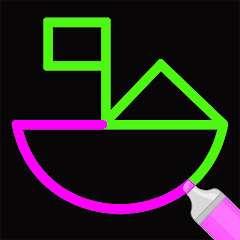


One Line Draw
One Line Draw is a logic puzzle game where you trace connected shapes with one continuous line, avoid retracing paths, plan around junctions, and solve increasingly tricky layouts.
One Line Draw is a logic puzzle game where you must complete each shape using one continuous line. Every required connection needs to be covered without lifting your finger or mouse and without tracing the same path twice. The early puzzles are easy to read, but later layouts add more branches and junctions that make the correct starting point much more important.
The biggest mistake is beginning from the first dot that looks convenient. A better approach is to study the whole shape first and notice which points have several connections. One wrong turn can leave a final line isolated with no legal way to reach it.
| Game Detail | Information |
|---|---|
| Game | One Line Draw |
| Developer | Unico Studio |
| Genre | Brain / Puzzle |
| Gameplay Style | One-stroke path drawing and spatial puzzles |
| Controls | Click and hold or touch and drag |
| Supported Devices | Desktop, phone and tablet |
| Poki Release Metadata | April 2025 |
| Poki Update Metadata | March 2025 |
| Current Rating | About 4.3/5 |
| Current Votes | 17.9K+ |
| Multiplayer | Single-player |
| Main Goal | Complete every required path with one continuous line |
Poki identifies Unico Studio as the developer and describes the main goal as finding the correct route across each layout without lifting your input or retracing a completed path.
Complete the Shape With One Line
Each level shows a group of connected points and lines.
Your task is to draw through the entire pattern in one continuous movement.
The basic rules are simple:
- Cover every required connection
- Keep the line continuous
- Do not retrace an already completed section
- Do not get trapped before the whole shape is finished
The difficulty comes from deciding the correct order.
One Line Draw Controls
The controls are very simple.
Desktop: Click and hold the mouse while drawing through the connected points.
Phone and tablet: Touch the screen and drag your finger through the route.
Poki confirms that the game works on computers, phones, and tablets.
The W3C Pointer Events specification explains how modern browsers can support both mouse and touchscreen drawing interactions.
Choose the Starting Point Carefully
The starting point can decide whether a puzzle is easy or impossible.
If you begin from a badly connected section, you may complete most of the shape and then find one unused line that cannot be reached.
Before drawing, look for:
corners,
endpoints,
busy junctions,
and areas with several branches.
Starting near a complicated section can sometimes make the rest of the route easier.
Do Not Retrace a Path
You cannot solve the puzzle by simply going backward across the same line.
Once a connection has been used, treat it as finished.
This is what makes the game different from a normal connect-the-dots activity.
You need a route that uses each required connection only once.
Think Before You Draw
One Line Draw rewards planning more than speed.
Before starting, try to imagine where the line might finish.
If one part of the pattern has only one way in or out, it may need to be handled early or saved for the end.
Even five seconds of planning can prevent a full restart.
Watch the Junctions
Points with several connected lines deserve the most attention.
A simple corner is rarely the problem.
A junction can send the path in several directions, and choosing the wrong branch first may trap another branch later.
I would slow down whenever the line reaches one of these busy points.
Leave Yourself an Exit
Closed loops can look tempting because they are easy to complete.
The problem is that finishing a loop too early can leave another section outside it.
Before closing a shape, check whether any unfinished line still needs access through that same area.
If it does, leave the loop open until later.
Start Near Odd Connections
This game has a useful connection to a classic graph problem.
In a shape where lines meet at points, a point with an odd number of connections often needs to become either the start or the finish of a one-stroke route. General explanations of one-stroke graph puzzles use this same idea.
You do not need to calculate every connection formally.
Simply noticing unusually busy points can already help.
Do Not Rush on Touchscreens
Fast dragging can make it easier to miss the intended point.
On phones and tablets, move steadily through each connection.
The puzzles are based on route planning rather than reaction speed, so there is little advantage in drawing quickly.
Accuracy is more useful.
Reset When the Route Is Trapped
If you reach a point where every available connection has already been used and part of the shape remains unfinished, the route is trapped.
At that point, continuing will not help.
Restart and change the earlier branch that caused the problem.
This is more efficient than trying random movements after the route is already impossible.
Learn From Failed Routes
A failed attempt gives useful information.
Suppose you finish almost the entire shape but leave one small branch behind.
That tells you the branch probably needs to be visited earlier.
On the next attempt, change only that part of the route instead of inventing a completely new solution.
This makes harder levels easier to solve step by step.
Spatial Thinking
Poki describes One Line Draw as a game that challenges spatial skills.
You need to understand:
where lines connect,
which areas can still be reached,
how a route can return from a branch,
and whether one move blocks another.
The rules stay simple while the shapes become more complicated.
A One-Stroke Puzzle
The underlying idea is closely related to what mathematics calls an Euler trail, where a route uses every edge in a connected graph exactly once.
That does not mean you need advanced maths to play.
It simply explains why some starting points work better than others.
Recognizing the structure is enough for most levels.
Simple Levels First
Early levels usually contain fewer branches.
Use them to learn the main rule:
do not think only about the next line.
Think about what will remain afterward.
Once that habit becomes natural, larger patterns feel much more manageable.
Harder Grid Layouts
Later puzzles become difficult because there are more possible routes.
Several choices may look correct at first.
Only one sequence may leave every required line reachable.
The challenge therefore comes from route order rather than complicated controls.
Mobile and Tablet Play
One Line Draw supports phones and tablets as well as desktop browsers.
The touchscreen format suits the game well because you can trace the route directly with your finger.
There is no virtual joystick or keyboard layout to learn.
Touch and drag are enough.
Desktop Play
Desktop players use the mouse.
Click and hold at the starting point, then guide the cursor through the connected route.
A larger screen can make complex junctions easier to inspect before committing to the first move.
Who Created One Line Draw?
One Line Draw was created by Unico Studio.
The same developer is also behind several puzzle and brain games, including:
- Brain Test Tricky Puzzles
- Brain Test 2 Tricky Stories
- Brain Test 3 Tricky Quests
- Brain Test 4 Tricky Friends
- Who Is?
- Word City Crossed
- Word City Uncrossed
- 2048 Balls
- Woody Sort
That places One Line Draw inside a much larger catalogue of casual puzzle games.
Conflicting Release and Update Dates
The current Poki metadata lists:
Release Date: April 2025
Latest Update: March 2025
Those dates conflict because the listed update comes before the listed release.
For accuracy, I would not describe March 2025 as an update that happened after the April 2025 release.
The safest wording is that Poki currently shows April 2025 as its release metadata and March 2025 as its update metadata, but the ordering appears inconsistent.
Current Rating
Poki currently shows approximately:
4.3 out of 5
from around:
17,900+ votes
The total can continue changing as new players rate the game.
Is One Line Draw Multiplayer?
No multiplayer mode is listed for the current Poki edition.
One Line Draw is a single-player puzzle game.
The challenge is solving each route correctly rather than racing another live player.
One Line Draw vs Brain Test Tricky Puzzles
Both games come from Unico Studio, but they test different types of thinking.
Brain Test Tricky Puzzles uses riddles, visual tricks, hidden interactions, and unusual answers.
One Line Draw is much more focused.
Its main challenge is route planning.
You have one shape and one rule: complete it using a continuous line without repeating a path.
For Prothots, Brain Test Tricky Puzzles would be a useful related internal link once the exact live URL is taken from your sitemap.
Games Like One Line Draw
Useful related Prothots pages could include:
Brain Test Tricky Puzzles for broader logic challenges.
Lines to Fill for another line-based puzzle.
Odd Bot Out for players who prefer spatial problem solving.
Word City Crossed can also work as another Unico Studio puzzle title.
Use the exact live Prothots URLs from the sitemap rather than guessing them.
Related Categories
One Line Draw fits naturally into:
- Brain Games
- Puzzle Games
- Drawing Games
- Logic Games
- Thinking Games
- Skill Games
- Mobile Games
- Single-Player Games
Its strongest identity is a one-stroke logic puzzle because every level revolves around finding a continuous route through the full pattern.
About One Line Draw
One Line Draw turns one simple rule into a surprisingly thoughtful puzzle.
You select a starting point, draw through every required connection, avoid repeating a used path, and try to finish the full shape without getting trapped.
There are no complicated controls.
The difficulty comes entirely from choosing the right order.
The most useful habit is looking at the whole pattern before drawing the first line. A few seconds spent checking branches and junctions can save several failed attempts later.




Reviews
There are no reviews yet.