
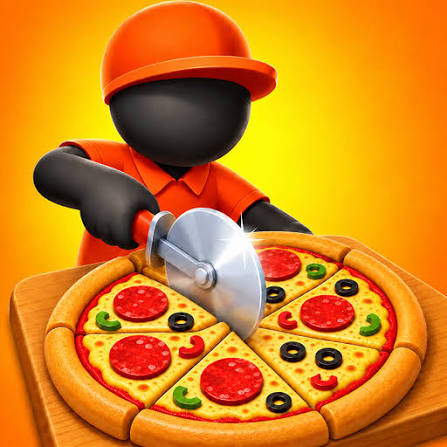


Pizza Cafe Time Management Online
Papa’s Pizzeria is the classic pizza cafe time management game. You run the counter, toppings, oven and cutting board alone and serve every order quickly for bigger tips.
Hungry customers, a hot oven and a stack of tickets: that is Pizza Cafe Time Management Online in a nutshell, and the game that sets the standard for it is Papa’s Pizzeria. Flipline Studios built it around a simple story. Papa skipped town, and now you run the pizzeria alone. Every pizza has to match its order and come out fast, because slow service means smaller tips.
| Game Detail | Information |
|---|---|
| Game | Papa’s Pizzeria |
| Developer | Flipline Studios |
| Genre | Restaurant time management |
| Gameplay | Juggle orders across counter, toppings, oven and cutting while customers wait |
| Controls | Mouse clicks and drags |
| Supported Devices | Web browsers on computers, phones and tablets |
| Multiplayer | No, single player played online in a browser |
| Main Goal | Serve accurate pizzas quickly and keep customers happy day after day |
| Android App | No official app for the web version (Papa’s Pizzeria To Go is separate) |
What Online Means For A Single Player Pizza Game
Online here means you play in a web browser, not that you face other players. Papa’s Pizzeria is a single player game. It loads in a browser tab, needs no account, and has no live opponents. That makes it a handy pick for a short break on a laptop or tablet.
Many sites use the name Pizza Cafe for small cooking games, and none could be pinned down as one official title. Papa’s Pizzeria is the well known, verified game behind this style, so it is the focus here.
A browser game also has a small practical upside. There is nothing to update and nothing taking up storage on your device, so you can open the pizzeria on a different computer in seconds. The catch is that the save stays behind on the first one, which is covered further down.
The Four Jobs You Repeat All Day
Taking The Order
A customer reaches the counter and gives you a ticket. It lists toppings, how long to bake and how to cut. Regular customers come back with their favourite orders, and a book records them as you unlock each regular.
Building The Pizza
Toppings must go where the ticket shows. Getting the placement right is worth slowing down for, because a messy pizza loses points that speed cannot win back.
Baking
The oven needs the right bake time. Too short or too long both hurt the score.
Cutting And Serving
The last step is cutting the slices in the requested pattern and handing the pizza over.
Controls For The Pizzeria
- Click: move between stations, take orders and confirm actions.
- Drag: place toppings and carry pizzas from one station to the next.
- Oven Button: start and stop baking at the right moment.
Planning A Rush Hour Without Panic
When three customers are waiting, the order you handle them in matters more than how fast you click. Look at all open tickets and send the pizza with the longest bake to the oven first. While it bakes, build the next pizza, then the next. The oven is your helper, and an empty oven during a rush is wasted time.
A second trick is to finish one step for every ticket before moving on. Some players top two pizzas back to back, then bake both, then cut both. Batching jobs this way cuts down the clicking between screens.
It also helps to keep calm about small mistakes. One slightly late pizza is not a disaster, but rushing the next three to make up for it often costs more. Steady, accurate work wins more tips across a full day than bursts of speed.
Small Habits That Save Seconds
- Glance at the queue before each step: knowing who is next lets you plan the oven early.
- Keep the ticket order in your head: toppings first, then bake, then cut, so you never jump to the wrong screen.
- Learn your regulars: a regular’s usual order is in the book, and remembering it speeds up the counter.
- Check the oven on every pass: a quick look each time you switch screens stops pizzas from burning.
None of these need fast hands. They come from paying attention, which is what the game rewards most.
Why Papa’s Pizzeria Still Works Without Flash
The game started life as a Flash title. Browsers dropped Flash at the end of 2020, on December 31, which stopped many old web games. The version on the CrazyGames Papa’s Pizzeria page runs through the Ruffle emulator, so it opens in a current browser with no plugin to install. It is listed for computers, phones and tablets.
Because the shop saves in browser storage, playing in private mode or clearing cookies can wipe your progress. Stick with the same browser on the same device. If you use a shared school or office computer, follow the rules of that network.
The Team Behind Papa’s Pizzeria
Flipline Studios created Papa’s Pizzeria as part of its Papa’s restaurant series, which grew into many shops serving different foods. The studio also released Papa’s Pizzeria To Go for phones on the App Store and Google Play. That mobile game is a separate product, so web progress does not carry over to it.
Games Like Papa’s Pizzeria
Burger Bounty Unblocked At School keeps the fast food rush but swaps pizza for burgers. Market Boss Simulator Web Version is about running a shop, with stock and checkout instead of an oven. My Perfect Hotel Web Online Free gives the same busy feeling in a hotel full of guests.
Papa’s Pizzeria FAQ
Can You Play Papa’s Pizzeria With Friends Online?
No, it is a single player game. Online only means it runs in a web browser.
Why Do Customers Give Small Tips?
Tips drop when a pizza does not match the ticket or the customer waits too long. Accurate toppings and smart oven use raise them.
Will Progress Carry Over To The Mobile Version?
No. The web game and Papa’s Pizzeria To Go are separate, with separate saves.
Related Categories
- Cooking
- Management
- Casual
About This Game
Papa’s Pizzeria proves that a good time management game only needs a few clear jobs and a steady flow of customers. Learn the stations, keep the oven full, and the tips grow day by day.
Play it free in a browser with a mouse, keep the same browser for your save, and open the shop for another shift.












Reviews
There are no reviews yet.