
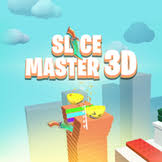


Slice Master Unblocked 76
Slice Master is a one-tap knife flipping game by PlayCalm. Tap to spin the blade forward, slice objects for points and stick the landing before you hit a spike.
Slice Master Unblocked 76 is what many players type when they want the knife flipping game from an unblocked games list, and the game behind it is Slice Master by PlayCalm. You tap to send a spinning knife forward, cut through food and objects for points, and try to stick the blade safely before it hits a spike. It sounds like a game you could finish in a minute. In practice, the spin speed and the spike placement turn each level into a timing test that punishes panic clicks.
| Game Detail | Information |
|---|---|
| Game | Slice Master |
| Developer | PlayCalm |
| Genre | Skill, Arcade, Casual |
| Gameplay | Flip a knife through levels, slice objects, avoid spikes |
| Controls | One click or one tap |
| Supported Devices | Desktop, phone and tablet browsers, Chromebook |
| Multiplayer | No, single player |
| Main Goal | Finish each level with the best score and multiplier |
| Android App | Yes – official |
What The 76 In The Name Means
Numbers like 76 come from unblocked game mirror sites, not from the game itself. Sites with names built around “76” copy popular browser games onto their own pages. They are third parties. They are not PlayCalm, and they are not Poki, where the official version lives.
That matters for a few reasons:
- Old copies: a mirror may host an older build that never gets the developer’s fixes.
- Heavy ads: many mirror sites pack the page with pop-ups and redirect ads.
- Lost progress: your unlocked knives on one mirror do not carry over to another site.
The safest place to play is the official version listed on the Slice Master page on Poki, which also links the Android app. If you are on a school device, follow your school’s network rules. This page does not explain how to get past blocks or filters.
How One Click Controls Everything
- Left Mouse Click: flip the knife forward on a computer.
- Trackpad Tap: the same action on a laptop or Chromebook.
- Screen Tap: the same action on phones and tablets.
Every tap gives the knife one jump and one spin. Without a tap, gravity pulls it down. The knife sticks only when the tip lands first. If the handle hits first, it bounces, and a bounce near a spike is usually the end of the run.
Reading A Level Before You Cut It
Each level is a short course of walls, platforms, piles of objects and spikes. Before you tap, look at what is ahead. The best players treat every stuck landing as a checkpoint and plan the next landing, not the next cut.
Count The Spins
A useful habit is to count how many taps a gap needs. Some gaps want one long flip, some want two short ones. Once you know the count for a type of gap, you can repeat it every time you see one.
Cut On The Way, Not On Purpose
Objects split when the blade passes through them, so you do not need to aim at each one. Pick a safe path from wall to wall, and the slicing mostly happens along the way. Chasing a single piece of fruit off your safe path is how spikes catch you.
Getting The Most From The Finish Line
Many levels end with a row of score multipliers. Landing in a high one can be worth more than everything you cut earlier. The catch is that the highest multiplier is often the hardest one to reach cleanly.
Take the multiplier you can land every time, not the one you land once in five tries. A steady score across many levels grows your total faster than one lucky finish.
New Knives And Harder Stages
Points you earn can unlock new knife designs. They change the look of your runs, which gives you something to work toward between levels. The levels themselves get tougher as you go, with tighter gaps, more spikes and longer stretches between safe walls. Older levels are worth replaying when a new one feels impossible, since they let you practise the rhythm without pressure.
Common Habits That Cost You Runs
- Tapping in a panic: a quick second tap when the knife starts to fall usually spins it into danger.
- Watching the fruit: keep your eyes on where the tip will land, not on the food.
- Playing with lag: a choppy frame rate ruins timing, so close extra tabs and keep hardware acceleration on in Chrome settings.
- Hopping between sites: each mirror has its own save, so you keep starting over.
Who Makes Slice Master
Slice Master is credited to PlayCalm, a studio that, according to its Poki page, has made more than 80 browser games. The game borrows its one-tap feel from mobile tapper games, which is why it plays just as well on a phone as on a laptop. PlayCalm’s official Android version is on Google Play for anyone who wants it outside the browser.
Playing In A Browser With No Download
Slice Master is built with HTML5, so it runs straight in Chrome, Edge, Firefox or Safari. Chromebooks handle it well because nothing needs to be installed. It never relied on Flash, which ended on December 31, 2020, so it still loads today in any modern browser.
Games Like Slice Master
For more timing based play, Space Waves Neon Platformer Unblocked 66 asks for quick, clean reactions. Geometry Dash SubZero HTML5 Full Screen is another rhythm test where one input decides everything, and Pull the Pin Puzzle Full Screen Free slows things down with physics puzzles.
Slice Master FAQ
Is Slice Master Unblocked 76 An Official Version?
No. The 76 sites are third-party mirrors. The official game is published through Poki and Google Play.
Why Does My Knife Bounce Instead Of Sticking?
The handle hit first. Change your timing slightly so the tip meets the wall.
Do Unlocked Knives Carry Between Websites?
No. Progress is saved per site in your browser, so a different site starts fresh.
Related Categories
- Skill Games
- Arcade Games
- One Button Games
- Casual Games
About This Game
Slice Master is a small game with a sharp lesson: calm timing beats fast fingers.
Play the official version, learn each gap’s spin count and the spikes become far easier to dodge.










Reviews
There are no reviews yet.