


Earn to Die 2 No Flash
Earn to Die 2 is a zombie driving game where you push a car as far as its fuel allows, smash through the undead, earn cash and upgrade your ride until you reach the evacuation point.
Earn to Die 2 No Flash is the modern way to play the zombie road trip that once lived on Flash game sites, now running in a normal browser tab. You pick a battered car, point it down a highway packed with the undead, and drive until the fuel tank runs dry. Every run pays you for the distance you covered and the zombies you flattened, and that cash goes into better engines, armor and guns. The hard part is that the road keeps throwing ramps, wrecks and huge crowds at you, so a weak car will flip or stall long before the finish.
| Game Detail | Information |
|---|---|
| Game | Earn to Die 2 |
| Developer | Toffee Games, published by Not Doppler |
| Genre | Driving, zombie survival, upgrade game |
| Gameplay | Drive as far as your fuel allows, smash zombies, earn cash, upgrade and try again |
| Controls | Arrow keys or WASD on desktop, on-screen pedals and tilt buttons on mobile |
| Supported Devices | Desktop browsers, Chromebooks, Android, iOS |
| Release | Android version on Google Play in May 2015 |
| Multiplayer | No, single player |
| Main Goal | Reach the evacuation point at the end of the road before the zombies win |
| Android App | Yes – official |
How A Single Run Works In Earn to Die 2
Each attempt starts at a safe point and ends the moment your car stops moving. That can happen because the fuel gauge hits empty, because the car lands on its roof, or because a wall of zombies slows you to a crawl. When the run ends, a results screen adds up the distance bonus and the zombie kills, and you go straight to the garage.
The loop is simple but it hooks you fast. Your first few runs feel hopeless, you barely pass the first trucks on the road. After a few upgrades the same stretch takes seconds, and you start pushing into parts of the map you have never seen. Progress in this game comes from the garage, not only from driving skill.
Keyboard And Touch Controls
Browser builds of the game use the keyboard, while the official app uses on-screen buttons. On a desktop or Chromebook, the usual layout is:
- Up Arrow or W: accelerate
- Down Arrow or S: brake and reverse
- Left and Right Arrows or A and D: tilt the car back and forward in the air
- Space: fire the rocket boost once you have bought one
Some web versions show the controls on the loading screen, so check there first if a key does nothing. On phones you press the pedals on the right and the tilt arrows on the left.
Garage Upgrades That Matter Most
Every vehicle has its own upgrade tree. The parts you can buy include a stronger engine, a bigger fuel tank, better wheels, armor plating, a roof gun and the rocket boost. Each part has several levels, and the price climbs with each one.
Fuel Before Firepower
The fuel tank is the upgrade new players skip, and it is the one that holds them back. A car that runs out of fuel halfway through a level earns less, no matter how many zombies it hit. Put your early money into fuel and the engine, then buy armor so crowds stop slowing you down.
When The Gun And Boost Pay Off
The roof gun clears zombies in front of you, which keeps your speed up through big crowds. The boost is best saved for ramps and steep climbs, not flat road, because it burns out quickly.
Tips For Getting Further On Every Run
- Land on your wheels. Use the tilt keys in the air so the car comes down flat, because nose-first landings kill speed and can flip you.
- Do not hold the boost all the time. Tap it before a ramp so you launch high and clear the wrecks on the other side.
- Aim for the low road when the map splits. The high paths look faster but often end in a drop that costs you the run.
- Switch cars when a new one unlocks, but only after you can afford a couple of upgrades for it. A stock new car is often slower than your fully upgraded old one.
- Watch the fuel needle, not the zombie counter. Distance pays more over a full level than chasing a big crowd off the main road.
Vehicles, Levels And The Evacuation Story
The story mode follows a survivor driving across a ruined country toward a rescue point. The map is split into levels, and each level ends at a checkpoint that unlocks a new vehicle. Cars get tougher as you go, from small hatchbacks to trucks and heavier machines built for the later stages.
Later levels add more obstacles, like stacked cars, broken bridges and steeper hills. The mobile release also added extra modes beyond the main story, so app players get more to do after the credits.
Who Made Earn to Die 2
Earn to Die started as a Flash game made by Toffee Games and published by Not Doppler, an Australian studio known for browser hits like Renegade Racing. The sequel grew the idea with a longer map, more vehicles and a bigger upgrade system. The Android version landed on Google Play in May 2015, as Droid Life reported at launch. Not Doppler also went on to publish other driving games, and its name on the loading screen is the quickest way to know you are playing the real thing.
Why The No Flash Version Is The One That Still Works
The early Earn to Die games ran on Adobe Flash Player. Adobe stopped supporting Flash on December 31, 2020, and browsers removed it, so the old Flash files no longer open. Any version you can play in a browser today runs on HTML5, usually with WebGL graphics.
That matters for you in a few ways:
- No plugin or install is needed. The game loads in Chrome, Edge, Firefox or Safari like any web page.
- It works on Chromebooks, which never ran Flash well in the first place.
- Graphics are handled by your device through the WebGL web standard, so a recent browser gives smoother frame rates.
If you are on a school or work device, play only where your network rules allow games. If a site blocks it, the official Android or iOS app on your own phone is the simple option.
Playing On Phones, Tablets And Chromebooks
The browser version suits laptops and Chromebooks with a keyboard. On a phone, the official app is a better fit because the touch buttons were designed for it and your save stays on the device. Progress in browser versions is usually kept in the site’s local storage, so clearing your browser data can wipe your garage.
Games Like Earn to Die 2
If you like smashing through obstacles in an upgraded car, these games on the site scratch a similar itch:
- Renegade Racing Browser Game: another Not Doppler driving game with flips, boosts and car upgrades, but against rival racers.
- Hill Climb Racing HTML5 Version: the same fuel and upgrade loop, focused on hills and balance instead of zombies.
- Drive Mad Unblocked No Lag: short physics driving levels where landing cleanly is everything.
Earn to Die 2 FAQ
Is Earn to Die 2 Free To Play In A Browser?
Yes. Browser versions are free and supported by ads. The mobile app is also free to download, with optional purchases.
Why Did The Old Flash Version Stop Working?
Flash Player reached end of life on December 31, 2020, and modern browsers no longer run it. HTML5 versions replaced it.
Does Earn to Die 2 Save My Progress?
The browser version usually saves to your browser storage on that device. If you clear site data or switch devices, your garage starts over.
Related Categories
- Driving Games
- Zombie Games
- Upgrade Games
- Physics Games
About This Game
Earn to Die 2 rewards patience. Every failed run still pays, and every upgrade makes the next attempt feel different.
Start with fuel and engine upgrades, learn to land on your wheels, and the road to the evacuation point gets shorter each time.






Related products
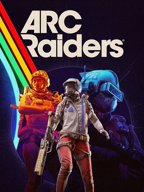
ARC Raiders
Step into ARC Raiders, the intense multiplayer extraction adventure set on a lethal, futuristic Earth! Face mechanized threats, rival Raiders, and high-stakes missions in a world where survival is everything.
ARC Raiders challenges players to scavenge, fight, and survive in a desolate future Earth. Enlist as a Raider and explore dangerous terrains, collect valuable loot, and outsmart both deadly machines and rival players in tense, action-packed encounters.


Tingly Bubble Shooter

YAPYAP Live Now
-
Players: 1–6 players in co-op multiplayer mode.
-
Gameplay: Cast spells, vandalize towers, and avoid magical enemies.
-
Genre: RPG, Action, Horror, Survival.
-
Multiplayer Focus: Best played with friends for full chaos and strategy.
-
Fun & Replay: Multiple towers, magical abilities, and unpredictable challenges each run.
Reviews
There are no reviews yet.