
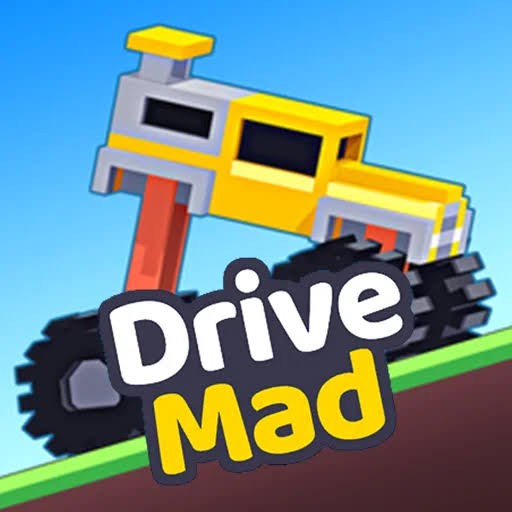


Drive Mad Unblocked No Lag
Drive Mad is a physics driving game where you guide a truck or car across tricky obstacle levels and reach the finish line without flipping over or breaking your vehicle.
A tiny truck, a wobbly bridge and a finish flag that always seems one bump too far away: that is what you get in Drive Mad Unblocked No Lag. Drive Mad is a physics driving game where each level is a short obstacle course, and your job is to reach the finish without flipping your vehicle or breaking it apart. You only control speed, forward and back, so balance comes from how you use the throttle. It looks simple, but seesaws, loose planks and steep drops make many levels a real puzzle.
| Game Detail | Information |
|---|---|
| Game | Drive Mad |
| Developer | Martin Magni (Fancade) |
| Genre | Physics driving, puzzle, skill |
| Gameplay | Drive a vehicle across obstacle levels and reach the finish without flipping or breaking |
| Controls | Arrow keys or WASD for forward and reverse |
| Supported Devices | Web browser on desktop, laptop and Chromebook; inside the Fancade app on Android and iOS |
| Release | Part of Fancade, publicly released April 29, 2020 |
| Multiplayer | No, single player |
| Main Goal | Clear each level by reaching the finish line in one piece |
| Android App | No standalone app; playable inside the official Fancade app |
How Drive Mad Levels Are Built To Trip You Up
Each level is a short side-on course. The first few are gentle hills, but soon you meet bridges that collapse, platforms that tip when your weight lands on them, and gaps that need exactly the right speed. Your vehicle changes too. Some levels give you a monster truck, others a tiny car or an odd machine, and each one handles weight differently.
If your vehicle flips upside down or a key part breaks off, the level restarts. There are no lives to lose, so you can try as many times as you need.
Most levels are solved with less speed, not more. Driving flat out is the most common way to flip.
Drive Mad Controls
- Right Arrow, Up Arrow or D: drive forward
- Left Arrow, Down Arrow or A: brake and reverse
- Touch Buttons: on phones and tablets, the on-screen pedals do the same job
There is no steering and no lean button. Every bit of tilt comes from how you speed up and slow down. Hitting the gas lifts the front of the vehicle, and braking pushes the nose down.
Tricks For Keeping Your Truck On Its Wheels
Tap The Gas In The Air
After a jump, a short tap of forward or reverse rotates the vehicle while it flies. Tap forward to tip the nose up and reverse to tip it down. This is the main way to fix a bad landing before it happens.
Cross Seesaws Slowly
On tipping platforms, creep forward until the platform starts to drop, then wait. Driving off at speed while it moves will launch you.
Back Up To Get A Run-Up
Some ramps cannot be cleared from a standing start. Reverse to the start of the flat section and give yourself room to build speed.
Watch What Is Ahead Before You Move
Many levels show the whole course on screen. Take two seconds to read it before pressing anything, because a lot of traps are obvious once you look for them.
How To Stop Lag In Drive Mad
Drive Mad Unblocked No Lag is about getting smooth physics, because a stuttering frame rate makes timing jumps almost impossible. The game itself is light, so lag usually comes from the device or the browser.
- Close other tabs, especially ones playing video.
- Turn on hardware acceleration in Chrome under Settings, then System, so the graphics chip handles the 3D drawing.
- Play in full screen using the game’s button or F11, which often runs smoother than a small embedded window.
- Restart the browser if you have been playing for a long time. Old tabs slowly eat memory.
- Keep your laptop plugged in. Some machines slow the graphics down on battery to save power.
Is Drive Mad Unblocked A Browser Game
Yes. Drive Mad runs as an HTML5 game in any modern browser, including Chrome on Chromebooks, with no download needed. That is why it is popular on school laptops. Still, schools and workplaces set their own rules. If games are blocked on your network, play on your own device at home instead of trying to get around the filter.
Who Made Drive Mad
Drive Mad was made by Martin Magni, the Swedish developer behind the puzzle game Mekorama. It was built inside Fancade, Martin Magni’s mobile game collection and game maker, where people make small games using visual scripting blocks. Drive Mad became one of the best known games in Fancade’s Quest mode, alongside titles like Longcat and Odd Bot Out.
Fancade was in early access from 2017 and released publicly on April 29, 2020, on iOS, Android and the web. It won Google Play’s Best of 2020 award in the Best Innovative category. You can read the background on the Fancade Wikipedia page.
Playing Drive Mad On Android
There is no separate Drive Mad app from the developer. The official way to play it on a phone is the Fancade app on Google Play, which includes Drive Mad among hundreds of other small games. Apps on the store that only carry the name Drive Mad are usually copies from other publishers, so the Fancade app is the safe choice.
Games Like Drive Mad
Eggy Car Unblocked At School has the same careful balance idea, except you carry a fragile egg. Moto X3M Pool Party Unblocked swaps the truck for a stunt bike and adds a timer. If you like physics puzzles without vehicles, Pull the Pin Puzzle Unblocked makes you think about gravity in a different way.
Drive Mad FAQ
How Many Levels Does Drive Mad Have?
The game has a long list of levels that unlock one after another as you clear them, and new players usually find plenty to work through.
Why Does My Truck Keep Flipping?
You are most likely going too fast or holding the gas while landing. Ease off the throttle before jumps and tap it in the air to level out.
Does Drive Mad Save Your Progress?
In the browser, your unlocked levels are stored in your browser’s site data. Clearing that data or playing in a private window will reset your progress.
Related Categories
- Driving
- Physics
- Puzzle
- Skill
About This Game
Drive Mad turns a simple two button control scheme into a long run of clever physics puzzles. Every level is short, and every failure teaches you something about weight and speed.
Take it slow, read the level first and keep that truck on its wheels.













Reviews
There are no reviews yet.