


Line Rider Simulator Online
Line Rider is a physics drawing toy where you sketch a track with your mouse, press play and watch a rider on a sled slide down it, crashing or flying depending on your design.
Line Rider Simulator Online is about one simple idea: you draw a line, and a small rider on a sled slides down it with real physics. There is no score, no timer and no enemy, which is why Line Rider is often called a toy more than a game. The hard part is entirely your own design. A track that looks smooth on screen can throw the rider into the air, snap him off the sled or send him flying backward, so getting a long ride to work takes patience and a lot of small fixes.
| Game Detail | Information |
|---|---|
| Game | Line Rider |
| Developer | Boštjan Čadež, later versions with inXile Entertainment |
| Genre | Physics sandbox, drawing toy |
| Gameplay | Draw a track with your mouse, press play and watch the sledder ride it |
| Controls | Mouse to draw and erase, toolbar buttons to play, stop and switch line types |
| Supported Devices | Desktop and Chromebook browsers, Windows, iOS |
| Release | September 23, 2006 as a Flash toy |
| Multiplayer | No, but tracks can be shared |
| Main Goal | Build a track the rider can finish, or make the most creative ride you can |
| Android App | No official app |
How Drawing A Track Works
You start on a blank white page with a rider called Bosh sitting at the start point. Pick the pencil and draw a line under him, then press play. Gravity pulls him down your line, and speed builds as he goes. When he reaches the end of your line, he falls off unless you have drawn more.
Every curve you draw changes his speed and angle. Sharp corners slow him or flip him, gentle curves keep him flowing. That is the whole skill of the game, reading how a shape will feel at speed before the rider gets there.
Line Types And What Each Color Does
Classic versions of Line Rider use three line colors, and most modern web versions keep them:
- Blue Line: the normal track. The rider slides on it with standard friction.
- Red Line: the acceleration line. It speeds the rider up in the direction you drew it.
- Green Line: scenery. The rider passes through it, so it is used for drawings and backgrounds.
Direction matters for red lines, so if your rider is pushed the wrong way, erase it and draw it from the other end.
Toolbar Controls
Line Rider is played with the mouse and a toolbar:
- Pencil: draw freehand lines
- Line Tool: draw perfectly straight lines between two points
- Eraser: remove lines you do not want
- Play and Stop: start the ride and return to editing
- Zoom and Pan: move around large tracks and work on small details
- Flag: mark a point so you can test from there without replaying the whole track
Exact tool names vary a little between versions, but these basics appear in almost all of them.
Tips For Rides That Do Not Crash
- Use the line tool for long ramps. Freehand lines have tiny bumps that can bounce the rider off at speed.
- Make landings longer than you think. A rider coming down from a jump needs a long, shallow slope to land on.
- Test in small sections. Place a flag before a tricky part, then fix that part before drawing more.
- Use red lines sparingly. Too many stacked acceleration lines make the rider too fast for your next curve.
- Draw loops wide. Tight loops tear the rider off the sled, big round loops keep him attached.
From Flash Toy To Web Simulator
Line Rider was created by Boštjan Čadež, a Slovenian student, and first posted on DeviantArt on September 23, 2006. It became an internet hit within months, as people shared videos of huge, detailed rides set to music. Wikipedia’s Line Rider page covers the full history.
Later versions added erasing, zooming and more line types. inXile Entertainment produced the console and PC follow-up Line Rider 2: Unbound in 2008, for Nintendo DS, Wii and Windows. A JavaScript web version arrived in 2015, which is how Line Rider kept running in browsers after Flash.
Playing Line Rider Online Without A Download
The modern web version of Line Rider is built with JavaScript and HTML5, so it runs in Chrome, Edge, Firefox or Safari. No plugin is needed, which matters because Flash, the technology the original used, stopped working in browsers after December 31, 2020.
- It works on Chromebooks and Windows laptops alike.
- A mouse works much better than a touchpad for drawing smooth lines.
- Save or export your track if the version supports it. Unsaved tracks are lost when you close the tab.
Why People Call It A Simulator
There is no win screen in Line Rider, so it feels closer to a physics simulator than a level-based game. You are testing how a body behaves on a slope, much like a simple physics lesson. Changes you make to a slope show up right away in the rider’s speed, which makes momentum and gravity easy to see.
Line Rider On Phones
There is no official Line Rider app on Google Play that could be verified, and apps using the name on Android come from other developers. iPhone and iPad players can find Line Rider on the App Store. For a genuine physics game with a level editor on Android, Happy Wheels by Fancy Force is linked from this page as the closest official match.
Games Like Line Rider
If you enjoy physics and building, try these games on the site:
- Happy Wheels HTML5 Unblocked: ragdoll physics with a full level editor and shared courses.
- Pull the Pin Puzzle Unblocked: short physics puzzles where you plan how objects fall.
- Sand Balls Classic Web Version: dig paths and guide balls down to the truck.
Line Rider FAQ
Is Line Rider Free To Play Online?
Yes. The web version is free and runs in a normal browser with no download.
What Is The Rider’s Name?
The rider is called Bosh. He rides a sled and falls off if the track throws him too hard.
Can You Win At Line Rider?
There is no win condition. The goal is whatever you set, such as a long ride, a perfect loop or a ride timed to music.
Related Categories
- Physics Games
- Drawing Games
- Sandbox Games
- Creative Games
About This Game
Line Rider has lasted since 2006 because it gives you a pencil and real physics and then steps back.
Start with a short hill, learn how the red lines push, and build from there one section at a time.






Related products

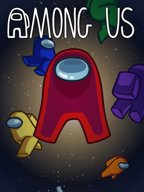
Among Us
-
Players: 4–15 online or local WiFi players.
-
Role Gameplay: Crew must complete tasks; Impostors secretly sabotage and eliminate.
-
Cross-Platform Play: Play on Android, iOS, PC, and consoles.
-
Party Game Fun: Best played with friends using voice chat for maximum strategy and deception.
-
Genres: Strategy, Indie, Action, Survival, Stealth, Party.

EA Sports FC 26
Step onto the pitch with EA Sports FC 26, the ultimate football simulation game where strategy, skill, and excitement meet!
Take control of your club, play your way, and experience a fully overhauled gameplay experience inspired by community feedback.
EA Sports FC 26 allows players to manage and control every aspect of their football club. With new Manager Live Challenges,
dynamic storylines, and player Archetypes inspired by the greats of the game, every match is full of strategy, skill, and thrilling moments. Build your team, develop tactics, and dominate the pitch.

ELDEN RING
-
Genre: RPG, Adventure, Action, Open World
-
Gameplay: Explore, battle, and uncover secrets in the Lands Between
-
Role: Play as a customizable character called the Tarnished
-
Features: Challenging combat, dynamic weather, day-night cycle, open-ended exploration
-
Goal: Restore the Elden Ring and become the Elden Lord


ROBLOX
From role-playing and adventure games to simulations and action-packed challenges, Roblox provides a variety of genres to explore.
Players can socialize, collaborate, compete, and even create custom events in these user-generated worlds. Every session is unique and driven by player creativity.
Watch Roblox live now and join thousands of viewers exploring games and worlds created by the Roblox community. Share experiences, discover new worlds, and enjoy interactive gameplay in real time.
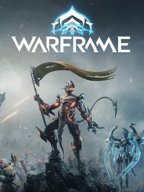
Warframe
-
Genre: Shooter, RPG, Adventure Game, Action
-
Gameplay: Fast-paced combat, explore solar system, complete missions & raids
-
Customization: Upgrade and master different Warframes with unique powers
-
Objective: Overthrow the Grineer Empire and protect the solar system
-
Replayability: Endless missions, cooperative raids, frequent updates, and events
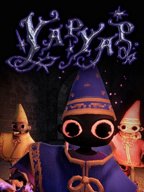
YAPYAP Live Now
-
Players: 1–6 players in co-op multiplayer mode.
-
Gameplay: Cast spells, vandalize towers, and avoid magical enemies.
-
Genre: RPG, Action, Horror, Survival.
-
Multiplayer Focus: Best played with friends for full chaos and strategy.
-
Fun & Replay: Multiple towers, magical abilities, and unpredictable challenges each run.
Reviews
There are no reviews yet.