

Freecell Solitaire
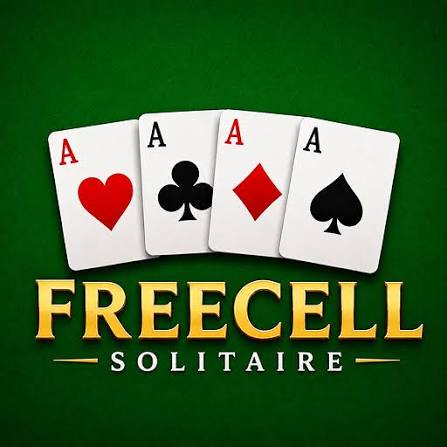
Freecell Solitaire is a single-player card puzzle where you organize all 52 visible cards, use four free cells strategically, and build each suit from Ace to King.
Freecell Solitaire is a single-player card puzzle where every card is visible from the beginning. Your goal is to move the full 52-card deck into four foundation piles, arranging each suit from Ace to King. Four free cells give you temporary space for blocked cards, while the main tableau lets you build downward using alternating colours.
The rules are easier than the strategy. The mistake I would avoid is filling all four free cells too early. Those spaces are your main source of flexibility, and once they are full, moving longer card sequences becomes much harder.
| Game Detail | Information |
|---|---|
| Game | Freecell Solitaire |
| Developer | Adgard |
| Genre | Card / Brain Game |
| Gameplay Style | Solitaire, card sorting and strategic planning |
| Controls | Mouse click or tap |
| Supported Devices | Desktop, phone and tablet |
| Browser Release | November 2023 |
| Latest Verified Update | November 2023 |
| Current Rating | 3.5/5 |
| Current Votes | 4K+ |
| Multiplayer | Single-player |
| Deck | Standard 52 cards |
The current browser edition identifies Adgard as the developer and lists November 2023 as both its release and latest update. It supports desktop computers, phones, and tablets.
Start With All 52 Cards Visible
Unlike many solitaire games, FreeCell does not hide cards underneath other cards.
The entire deck is dealt face-up from the beginning.
That means you can inspect the full board before making the first move and plan around cards that may become difficult to reach later.
A standard FreeCell layout contains eight tableau columns, four temporary free cells, and four foundation piles.
The Goal of Freecell Solitaire
Your goal is to move every card into the four foundation piles.
Each foundation belongs to one suit:
- Hearts
- Diamonds
- Clubs
- Spades
The piles begin with an Ace and continue upward through 2, 3, 4 and the remaining ranks until King.
Once all four suits reach King, the game is complete.
Freecell Solitaire Controls
The browser controls are simple.
Desktop: Click cards with the left mouse button to select and move them.
Phone and tablet: Tap cards using the touchscreen.
The current Adgard version also includes buttons for hints, undo actions, shuffling assistance, and other puzzle tools.
For technical background, the W3C Pointer Events standard explains how modern web pages can respond to mouse and touchscreen input through the same system.
How the Eight Tableau Columns Work
Most of the game takes place in the tableau.
Cards can be arranged downward in rank using alternating colours.
For example:
a red 8 can go onto a black 9,
and a black 7 can then go onto that red 8.
This lets you reorganize the board while uncovering cards needed for the foundations.
Four Free Cells
The four free cells are temporary storage spaces.
Each cell can hold one card.
They look like simple empty spaces, but they are one of the most important parts of the game.
Moving a blocking card into a free cell can expose something useful underneath it.
The problem comes when all four cells become occupied.
Once that happens, your movement options become much more limited.
Keep Free Cells Open
I would avoid using a free cell just because one is available.
Ask why the card needs to move there.
If placing it in the free cell immediately exposes an Ace or creates an empty column, the move may be worthwhile.
If it simply moves a problem from one place to another, leaving the cell free can be more useful.
Keeping working space available is one of the biggest differences between careful play and random card movement.
Foundation Piles
The foundation piles are where the cards eventually need to go.
Each suit builds upward:
Ace,
2,
3,
4,
and so on until King.
Moving obvious low cards to the foundation can clear useful space, but I would still check whether a card might be needed temporarily inside the tableau before sending everything upward immediately.
Use Empty Columns Carefully
An empty tableau column can be extremely useful.
It creates more room to reorganize longer sequences and reach cards trapped deeper in another column.
Because of that, creating an empty column is often a stronger move than filling every available space.
I usually try to protect an empty column once I create one rather than immediately filling it with the first available card.
Hints
The Adgard version includes a light bulb hint button.
If you become stuck, the hint system can suggest a move.
I would use hints after checking the board yourself first.
That way, the suggested move becomes something you can understand rather than simply follow.
Over time, you begin spotting the same types of useful moves without needing the hint.
Undo Function
Freecell Solitaire also includes an undo option.
This is useful because one poor move can block several later moves.
Instead of restarting the entire deal, you can reverse the latest action and try a different sequence.
Undo is especially helpful when testing whether moving a card into a free cell actually improves the board.
Shuffle Assistance
The current Adgard edition includes a shuffle feature that can help with difficult stacks.
This is an extra feature of this particular browser version rather than a standard rule of traditional FreeCell.
That distinction matters.
The underlying card game is built around planning, while browser versions may add tools that make harder deals more accessible.
Power-Ups
Adgard’s version also includes a power-up that can move a card toward the front of a stack.
Again, this is an additional browser-game mechanic rather than a traditional FreeCell rule.
I would learn the basic movement rules first.
Once you understand the tableau, cells, and foundations, extra tools become easier to use without becoming dependent on them.
Look for Aces Early
Aces are important because they start each foundation.
If an Ace is already exposed, moving it upward can often create useful space immediately.
If one is buried, try to identify which cards are blocking it.
That gives you a clear short-term objective instead of moving cards without a reason.
Plan Before Moving Kings
Kings can take up a lot of useful space.
Moving one into an empty column may be helpful if it allows a long sequence to develop underneath it.
But doing that too early can also remove one of your most flexible empty spaces.
I would move a King only when it clearly improves the structure of the tableau.
Do Not Fill Every Free Cell
This deserves repeating because it is one of the easiest mistakes.
Four free cells do not mean four cards should always be stored there.
The cells are better understood as temporary working space.
The fewer you use, the more flexibility you keep for later moves.
This is why experienced FreeCell play often looks slower at first but becomes much easier once the board begins opening up.
Think Several Moves Ahead
Every card is visible, so FreeCell gives you enough information to plan.
Before moving a card, check what it reveals.
Then check whether the new card can move somewhere useful.
If the move does not create another option, it may not be worth making yet.
This is where FreeCell feels more like a puzzle than a luck-based card game.
Why FreeCell Feels Different From Klondike
Traditional Klondike Solitaire hides many cards at the beginning.
FreeCell does not.
That changes the experience considerably.
FreeCell gives you:
- Full board visibility
- Four temporary storage cells
- Eight tableau columns
- More emphasis on planning
- Less dependence on hidden information
The game therefore rewards careful sequencing more than waiting for a useful hidden card to appear.
Most Deals Can Be Solved
FreeCell has a reputation for being highly solvable.
Because all cards are visible and movement depends heavily on planning, the outcome is influenced more by decisions than in many other solitaire variants.
The important point is not that every possible deal is guaranteed to work.
Rather, the overwhelming majority of standard deals can be solved with the right sequence of moves.
This is why getting stuck does not always mean the deal was impossible.
Sometimes one earlier move simply needs to be changed.
A Simple Way to Approach a New Deal
When a new game starts, I would check the board before moving anything.
First find the Aces.
Then look for low cards blocking them.
Check whether an empty column can be created.
Keep as many free cells open as possible.
Move cards toward the foundations only when doing so improves the board.
This gives each move a purpose.
Playing on Mobile
Freecell Solitaire supports phones and tablets as well as desktop browsers.
Touch controls fit card games well because you only need to select and move cards.
There is no keyboard layout or fast reaction system to learn.
That makes it easy to play short rounds on a smaller screen.
Desktop Play
On desktop, the mouse handles card movement.
A larger screen can make it easier to inspect all eight columns at once.
That is useful in FreeCell because planning often depends on seeing where several cards are located before making the next move.
The controls themselves remain simple regardless of screen size.
Who Created This Freecell Solitaire?
This browser version was created by Adgard.
The same developer is also associated with games such as:
- Pop It vs Spinner
- Find The Candy
- MadZOOng
- Merge to Million
- Mahjoctopus
- One Hundred Castles Solitaire
Adgard has released several puzzle, card, and casual browser games.
Release and Latest Update
The current browser edition was released in November 2023.
November 2023 is also the latest update currently listed for this version.
Its current rating is approximately 3.5 out of 5 from more than 4,000 votes.
Ratings and vote totals can change as more people play.
Is Freecell Solitaire Multiplayer?
No.
This version is a single-player card game.
The challenge comes from solving the current deal rather than competing against another live player.
That suits FreeCell well because most of the gameplay involves studying the board and planning your own sequence of moves.
Games Like Freecell Solitaire
Players who enjoy Freecell Solitaire may also like other card and thinking games.
One Hundred Castles Solitaire is a natural related choice because it comes from the same developer.
Mahjoctopus may suit players who prefer tile-based puzzle solving.
For Prothots, other card or word games already published on the site would also make useful internal links once their exact live URLs are confirmed.
Related Categories
Freecell Solitaire fits naturally into:
- Card Games
- Solitaire Games
- Brain Games
- Puzzle Games
- Strategy Games
- Classic Games
- Mobile Games
- Single-Player Games
Its strongest identity is a strategy card game because every card is visible and progress depends mainly on how carefully you organize the board.
About Freecell Solitaire
Freecell Solitaire looks simple because all the cards are visible from the beginning, but that visibility is exactly what makes the game strategic.
There is rarely a reason to move a card without thinking about what the move creates next.
The four free cells give you flexibility, empty columns create even more room, and foundation piles give every move a clear long-term direction.
The most useful habit is keeping options open.
Do not rush to fill free cells, do not waste empty columns, and do not move cards simply because the move is legal.
The stronger move is usually the one that gives you more choices afterward.










Reviews
There are no reviews yet.