
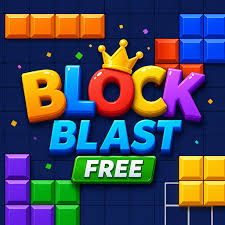
Block Blast Online Free No Download
Hungry Studio’s block puzzle played straight in a browser tab. Drag three blocks at a time onto an 8 by 8 grid, clear full rows and columns, and keep going until nothing fits.
No install screen, no storage warning, just a grid that appears in a tab and waits for your first block. Block Blast Online Free No Download is the browser way to play Hungry Studio’s hit puzzle, the one where three shapes at a time go onto an 8 by 8 board. Fill a whole row or column and it vanishes, opening space for the next set. The pressure builds slowly, because pieces cannot be rotated and the run ends the instant none of them fits.
| Game Detail | Information |
|---|---|
| Game | Block Blast |
| Developer | Hungry Studio |
| Genre | Block puzzle |
| Gameplay | Drag three blocks per turn onto an 8×8 grid and clear full lines |
| Controls | Mouse drag on computers, finger drag on touch screens |
| Supported Devices | Browsers on Windows, Mac and Chromebook, plus Android and iOS apps |
| Release | 2021 on mobile |
| Multiplayer | No, single player |
| Main Goal | Score as high as possible before the board locks up |
| Android App | Yes – official |
What “No Download” Really Means Here
The browser version is a web page, not an app. Your browser loads the game files when you open it, the same way it loads any page, and nothing gets installed on your computer. That makes it handy on shared or school Chromebooks where installing software is not allowed, and on older laptops with little free space.
Because nothing is installed, your best score lives in the browser. Clearing your history and site data, using a private window or switching to another device usually resets it. If you care about a long term record, the official app keeps your progress on your phone.
Browser Version Versus The App
The core rules match: three pieces, an 8 by 8 grid, no rotating. The app from Hungry Studio adds more, such as adventure style stages with goals, while browser versions usually stick to the endless classic game. Both are free and both show ads. Hungry Studio also offers Block Blast!+ through Apple Arcade, a separate version without ads or in-app purchases.
Mouse And Touch Controls
- Press And Hold: pick up one of the three pieces in the tray
- Drag Over The Grid: a shadow shows where the piece will land
- Let Go: drop it on a valid spot, or let it snap back if it does not fit
A mouse gives the most accurate drops on a laptop. On a touchpad, drag slowly so the piece does not land one cell off.
Board Habits That Keep The Grid Open
- Before each turn, imagine the worst piece arriving next. If a long straight line or a big square would have no home, fix that space now.
- Fit the three current pieces in your head before placing any. Sometimes the only order that works is the one you would not try first.
- Use corners for L shapes. Corners fit L pieces neatly and leave straight edges for everything else.
- Keep one clean lane. A fully empty row or column gives the long line piece a safe landing spot.
- Take small clears when the board is busy. A single line cleared now is worth more than a big combo that never comes.
When Chasing Combos Is Worth It
Combos and streaks score big, but they need several nearly full lines at once. Set them up early, when the board is mostly empty and mistakes are cheap. Once more than half the grid is filled, switch to safe play and clear whatever you can.
Why The 8 By 8 Grid Feels So Tight
Eight cells per row is short, so lines fill fast, which feels great early on. The flip side is that big pieces take up a large share of the board. A 3 by 3 square covers nine of sixty-four cells, so two awkward squares in a row can crowd the grid quickly. This is why space planning matters more in Block Blast than speed, since there is no timer at all.
A Sample Turn, Thought Through
Say your tray holds a 3 by 3 square, a two cell line and a single block, and the bottom row is missing two cells. A rushed player drops the square first because it is the biggest. A careful player fills the bottom row with the two cell line first, clears it, and only then places the square in the space that just opened. The single block goes last, into whatever gap is most awkward.
The lesson is simple: look for the placement that clears a line before you place the piece that needs the most room. One clear often turns an impossible tray into an easy one.
Hungry Studio And The Rise Of Block Blast
Block Blast comes from Hungry Studio and launched on mobile in 2021. It grew into one of the most played puzzle games on phones, and in January 2026 the studio reported around 70 million daily players. The official site is blockblast.com, and the Android app is free on Google Play.
Staying Safe With Free Online Copies
Many sites host Block Blast style games, and not all of them are careful. Avoid pages that ask you to install an extension, download a file or allow notifications just to play. A genuine browser game never needs those. If you are on a school or work network, follow its rules about games and play during breaks or at home.
Games Like Block Blast
1010 Puzzle Game Classic Web uses the same three-piece idea on a roomier 10 by 10 board. Tetris Classic Chromebook Unblocked adds falling pieces and speed to line clearing. For a calmer brain teaser, try Hexa Sort 3D Unblocked At School.
Block Blast FAQ
Do You Need To Download Anything To Play Block Blast Online?
No. The browser version runs in a normal tab, with nothing to install.
Why Did My Block Blast High Score Reset?
Browser scores are saved in your browser, so clearing site data or changing device can wipe them.
Is Block Blast Free?
Yes. Both the browser version and the official app are free and supported by ads.
Related Categories
- Puzzle Games
- Casual Games
- Brain Games
- Block Games
About This Game
Block Blast in a browser tab is a quick, quiet puzzle you can open anywhere without installing a thing.
Plan for the worst piece, use your corners and keep one lane clear, and your runs will last longer every time.







Reviews
There are no reviews yet.