


Ping Pong
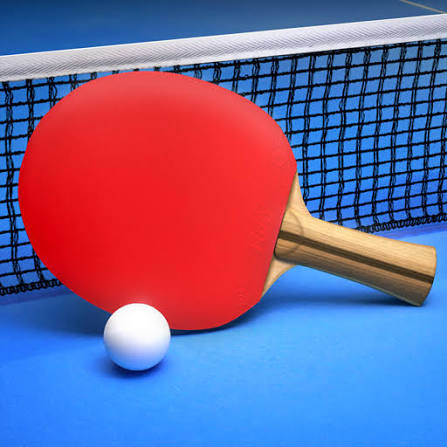
Ping Pong is a single-player table tennis game where you drag the paddle, control shot speed, add spin and try to reach 10 points before the computer opponent.
Ping Pong is a simple table tennis game from MarketJS where you control the paddle directly with your mouse or finger, return the ball across the table, and try to reach 10 points before the computer opponent. The controls are easy, but the ball reacts differently depending on how quickly and in what direction you move the paddle.
The first mistake I would avoid is swinging at every ball with maximum speed. Hard returns can be useful, but they also make the next rally less predictable. Slower, controlled movement often gives you a cleaner angle and makes it easier to decide where the ball should go next.
| Game Detail | Information |
|---|---|
| Game | Ping Pong |
| Developer | MarketJS |
| Genre | Sports, Skill |
| Gameplay Style | Single-player table tennis against AI |
| Controls | Drag mouse or finger to move paddle |
| Supported Devices | Desktop, phone and tablet |
| Poki Release | July 2021 |
| Latest Poki Update | April 2022 |
| Current Rating | 3.7/5 |
| Current Votes | 131K+ |
| Winning Score | First to 10 points |
| Multiplayer | Single-player |
| Technology | HTML5 |
MarketJS describes Ping Pong as a responsive HTML5 table tennis game with computer AI, controllable shot speed and spin. The current Poki listing confirms desktop, phone and tablet support.
Control the Paddle Directly
Ping Pong does not use keyboard movement.
You move the paddle by dragging it.
Desktop: Hold the left mouse button and drag the paddle.
Phone or tablet: Move your finger across the screen.
The paddle follows your movement, which means both direction and speed affect the return.
This makes the controls feel more direct than a sports game where one button automatically performs every shot.
First to 10 Wins
The match structure is straightforward.
You and the computer opponent trade shots until one side reaches 10 points.
MarketJS confirms that the first player to 10 wins the game.
Because matches are short, there is little need for a complicated tournament system.
Each point matters immediately.
Shot Speed Depends on Your Movement
One of the most useful mechanics is that the speed of the paddle affects the shot.
Move the paddle quickly and the return can travel faster.
Use a slower motion and you can make a more controlled return.
MarketJS specifically notes that players can control shot speed by moving the paddle fast or slow.
That gives the game more depth than simply making contact with the ball.
The goal is not always to hit harder.
Sometimes a slower return gives you more control over where the next exchange begins.
Adding Spin
Ping Pong also allows you to influence the ball with spin.
MarketJS describes spin as a way to confuse the computer opponent.
You create this by moving the paddle across the ball instead of only pushing straight through it.
The effect can change the direction or behavior of the return.
I would practise this gradually rather than trying exaggerated paddle movements immediately.
A small controlled movement is easier to repeat.
Position Before the Ball Arrives
Waiting until the ball is directly beside your paddle makes every return harder.
Watch its direction early.
Then move toward the likely contact point before it arrives.
This gives you more time to decide whether you want:
a fast return
a softer shot
a wider angle
or a spin attempt
The game feels much calmer once you stop chasing the ball at the final moment.
The AI Gets Harder to Read
Ping Pong uses computer-controlled opponents rather than live multiplayer.
MarketJS describes the AI as clever and challenging.
The opponent can return the ball from different positions, which means repeating the exact same paddle movement is not always enough.
A better habit is to watch where the opponent is positioned before choosing the next return.
Sending the ball toward open space usually makes more sense than hitting directly back toward the centre.
Use Angles Instead of Only Power
Fast shots look impressive, but placement matters more.
If the opponent is already near one side of the table, aim toward the opposite area.
That forces more movement.
Once the opponent has to stretch across the table, the next return may be easier to attack.
This is similar to real table tennis, where placement and spin are as important as raw speed.
The International Table Tennis Federation’s official rules explain the formal structure of real table tennis, including service, scoring and legal returns.
Ping Pong simplifies that sport into a faster browser format.
Rally Control
Long rallies can become difficult because the ball speeds up and the direction changes quickly.
The easiest mistake is overcorrecting the paddle after one difficult return.
Try to move smoothly instead.
A useful rhythm is:
watch the ball
move into position
make contact
return toward the middle
prepare again
That middle position gives you more room if the ball comes back toward either side.
Why the Centre Is Useful
Standing too close to one edge makes the opposite side harder to cover.
Returning toward the middle after each shot gives you a more balanced starting point.
This is especially useful when the AI begins changing angles more often.
You do not need to stay perfectly centred at all times.
The idea is simply to avoid getting stuck too far on one side after an aggressive shot.
Playing Ping Pong on Mobile
The current Poki edition supports:
- Desktop
- Phone
- Tablet
Touch controls work naturally because the game only needs one direct movement input.
Instead of using keyboard buttons, you simply drag the paddle with your finger.
The MDN Pointer Events guide explains how modern web applications can handle mouse and touchscreen interaction through one input model.
That makes Ping Pong well suited to short mobile sessions.
HTML5 Browser Support
MarketJS distributes Ping Pong as an HTML5 game.
That means the game can run in modern browsers without old plug-ins such as Adobe Flash.
MarketJS also states that its HTML5 games are designed to work across smartphones, tablets and desktop computers.
This matches the current device support shown on Poki.
Ping Pong vs Real Table Tennis
The browser game keeps the central idea of table tennis:
return the ball across the table and make the opponent miss.
But it simplifies almost everything else.
There is no detailed serve rotation, official tournament structure or full competitive rules system.
Real table tennis uses a larger set of formal rules covering serves, lets, scoring, equipment and match structure.
The ITTF handbook is the better reference for official table tennis rules.
Ping Pong instead focuses on quick rallies, paddle control and reaching 10 points first.
A Better Way to Win More Points
I would focus on placement before speed.
Move toward the ball early.
Return toward open areas.
Use fast shots only when the angle is already good.
Mix in slower returns so the AI cannot settle into one rhythm.
Experiment with spin after basic control feels reliable.
And after each shot, move back toward a useful central position.
These small decisions matter more than constantly moving the paddle as quickly as possible.
Who Created Ping Pong?
Ping Pong was created by MarketJS.
MarketJS maintains an official listing for the game and describes it as a challenging table tennis title with responsive controls, adjustable shot speed, spin and computer AI.
The studio has also published many other HTML5 browser games across sports, puzzle and casual categories.
Its Poki catalogue includes titles such as:
- Power Badminton
- 8 Ball Pool With Buddies
- Ludo Hero
- Hangman
- Typing Fighter
- Super Bubble Shooter
- Mine Sweeper
Poki currently links these titles with the same developer.
Ping Pong Release History
The current Poki edition lists:
Release: July 2021
Latest update: April 2022
MarketJS currently maintains the original licensing page for the game, but it does not show a clearer earlier public release date on that page.
For that reason, July 2021 is the safest verified browser-platform release date to use here rather than guessing an older date.
Current Ping Pong Rating
The current Poki listing shows approximately:
Rating: 3.7 out of 5
Votes: 131,000+
These figures can change as new players rate the game.
Is Ping Pong Multiplayer?
The version covered here is single-player.
MarketJS lists it under its single-player catalogue and describes the opponent as computer AI.
There is no verified live online multiplayer mode in this specific Ping Pong title.
That distinction matters because other browser games with similar names may include online or local multiplayer.
Ping Pong and Power Badminton
Players who enjoy direct paddle control may also like Power Badminton, another MarketJS sports game.
The two games use different controls.
Ping Pong lets you drag the paddle directly.
Power Badminton uses movement keys and separate shot buttons.
Both still reward positioning, timing and choosing where to send the ball rather than simply hitting as hard as possible.
Once the matching Prothots page is live, Power Badminton would be a strong internal link for this article.
Other Sports Games
Ping Pong works best for players who want short precision-based sports matches.
If you prefer gravity-based platform gameplay instead, G-Switch 4 uses one-button gravity switching and local multiplayer rather than racket-sport mechanics.
That game is not closely related by genre, so I would keep it outside the main “similar games” section and only use it where broader browser-game navigation is useful.
Related Categories
Ping Pong fits naturally into:
- Sports Games
- Table Tennis Games
- Skill Games
- Ball Games
- Arcade Games
- Mobile Games
- Single-Player Games
Its strongest identity is a quick table tennis skill game because paddle positioning, direction, speed and spin all affect how each rally develops.
What Makes Ping Pong Different?
Ping Pong is extremely simple to understand.
Move the paddle.
Return the ball.
Reach 10 points first.
The depth comes from how that paddle moves.
A fast drag changes speed.
A sideways motion can influence spin.
Positioning changes the available angle.
Returning toward the centre prepares you for the next shot.
That gives one direct control enough variety to support much longer rallies than the simple interface initially suggests.
About Ping Pong
Ping Pong turns table tennis into a quick browser challenge without adding complicated controls or long menus.
You drag the paddle with a mouse or finger, return the ball across the table, adjust shot speed through movement and use angles or spin to make the AI work harder.
The strongest improvement is not simply hitting faster. Once I focused on reaching the ball early and placing returns away from the opponent, the rallies became much easier to control.





Reviews
There are no reviews yet.