

Tetris Unblocked School Chromebook
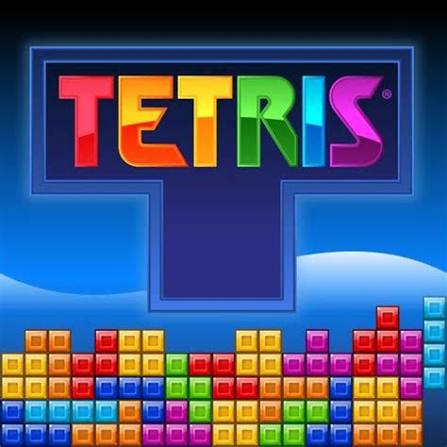
The classic falling block puzzle. Seven shapes drop one at a time, and you rotate and slide them to fill complete rows, which clear away before the stack reaches the top.
Few games are as easy to learn and as hard to stop playing as Tetris, and Tetris Unblocked School Chromebook brings that classic falling block puzzle to a plain browser tab. Shapes made of four squares drop from the top of a tall well, and you rotate and slide each one so it fits neatly with the blocks below. Fill a whole row and it disappears, giving you more room. The game speeds up as you clear lines, so a messy stack that felt fine at level one becomes a real problem a few minutes later.
| Game Detail | Information |
|---|---|
| Game | Tetris |
| Developer | Created by Alexey Pajitnov; brand managed by The Tetris Company |
| Genre | Puzzle, Arcade |
| Gameplay | Rotate and place falling blocks to clear full horizontal lines |
| Controls | Arrow keys to move and drop, rotate keys, Space for hard drop, hold key |
| Supported Devices | Chromebook, Windows, Mac, Linux browsers, phones and tablets |
| Release | 1984 (original version, Moscow) |
| Multiplayer | Single player in the browser; competitive modes exist in other official versions |
| Main Goal | Clear as many lines as possible before the stack reaches the top |
| Android App | Yes – official |
How Tetris Works In Under A Minute
Every Tetris piece, called a tetromino, is made of four squares joined together. There are seven of them: the long I, the square O, the T, and the S, Z, J and L shapes. One piece falls at a time and you can see the next one coming in the preview box.
When a horizontal row is completely filled, it clears and everything above it drops down. Clear four rows at once with the long I piece and you score a Tetris, the biggest single clear in the game. The game ends when new pieces can no longer enter the top of the well.
Keyboard Controls On A Chromebook
Modern official Tetris versions follow a standard control layout. Browser versions can differ slightly, but most use these keys:
- Left and Right Arrow: slide the piece sideways.
- Down Arrow: soft drop, the piece falls faster but you keep control.
- Space: hard drop, the piece slams straight to the bottom.
- Up Arrow or X: rotate clockwise.
- Z or Ctrl: rotate counterclockwise.
- C or Shift: hold the current piece and swap it in later.
- Esc: pause the game.
Stacking Tips That Actually Raise Your Score
Keep The Stack Flat
A bumpy surface leaves fewer good spots for the next piece. Try to keep the top of your stack level, with no deep single-square holes except the one you plan for the I piece.
Leave One Column Open For The I Piece
Stack across nine columns and leave one empty, usually at the far left or right. When an I piece arrives, drop it in that gap to clear four lines at once. This is the classic way to score big.
Use The Next Preview
Do not just place the current piece. Look at the next one and ask where both will go. Planning two pieces ahead stops most of the awkward spots that lead to holes.
Use Hold For Problem Pieces
If an S or Z piece has nowhere tidy to go, put it in hold and play the next piece instead. Keep an I piece in hold if your open column is ready, so a Tetris is always one key away.
Never Cover A Hole If You Can Avoid It
A gap under a block cannot be filled until the rows above clear. Covered holes are the main reason stacks grow out of control at higher speeds.
Levels, Speed And Scoring
The game starts slowly. Every set number of cleared lines raises the level, and each level makes pieces fall faster. Clearing more lines at once scores far more than clearing them one by one, which is why the open-column method matters. Advanced players also learn T-spins, where a T piece is rotated into a tight slot at the last moment for bonus points.
Who Created Tetris
Tetris was created by Alexey Pajitnov, a Soviet software engineer, in 1984 while he worked at a computer centre in Moscow. It spread to home computers and arcades, then exploded in popularity when it came bundled with the Nintendo Game Boy in 1989.
Today the brand is managed by The Tetris Company, which licenses official versions on consoles, PCs and phones. The official site, tetris.com, offers a free version you can play in the browser, and the current official mobile app is published by PLAYSTUDIOS.
Playing Tetris On A School Chromebook
Browser Tetris is built with HTML5, so it runs in Chrome with no install. That matters on a Chromebook, where you often cannot install apps, and it is why old Flash versions are gone: Adobe ended Flash support on December 31, 2020, and browsers removed it.
Schools set their own rules for what students can open on their devices. Follow your school’s network and device rules, and play during free time or at home if games are not allowed in class. This page does not give ways to get around school filters, proxies or VPNs.
Tetris is also a sensible pick for a short break. It needs only a keyboard, there is no chat or account, and a single game can last two minutes or twenty.
Getting Smooth Play On Older Chromebooks
- Close other tabs: even a light game feels sluggish when many tabs are running.
- Check hardware acceleration: in Chrome Settings, under System, keep graphics acceleration switched on.
- Use full screen: press the full-screen key or F11 to remove distractions and make the well bigger.
Games Like Tetris
- Block Blast Online Free Game: place block shapes on a grid to clear rows and columns, with no falling timer.
- 1010 Puzzle Game No Ads Browser: a calmer grid puzzle built on the same line-clearing idea.
- 2048 Cupcakes Extended Version Unblocked: another simple-rules puzzle where planning ahead wins.
Tetris FAQ
Who Invented Tetris?
Alexey Pajitnov created Tetris in Moscow in 1984. The Tetris Company now manages the brand and official versions.
What Is A Tetris In Tetris?
It is clearing four lines at once, which can only be done with the long I piece and gives the biggest normal score.
Can You Play Tetris On A Chromebook Without Installing Anything?
Yes. Browser versions run in Chrome on a Chromebook, and the official tetris.com site also has a free browser game.
Related Categories
- Puzzle
- Arcade
- Brain
About This Game
Tetris Unblocked School Chromebook is the same idea that hooked players in 1984: seven shapes, one well and a race against your own messy stack.
Keep it flat, leave a gap for the I piece and look one piece ahead. Those three habits will carry you further than speed ever will.






Related products


Disaster Arena


Minecraft
-
Open-Ended Gameplay: Create, explore, and play without limits.
-
Innovative Mechanics: Craft blocks, tools, redstone circuits, and more.
-
Adventure & Combat: Survive mobs, explore the Nether, and defeat the Ender Dragon.
-
Community & Multiplayer: Join servers, collaborate, and showcase creativity worldwide.



Reviews
There are no reviews yet.